Install on TrueNAS
Install highsea as a custom app from YAML on TrueNAS 25.04 or later.
Written for highsea 0.1.0 on TrueNAS Community Edition 25.04 or later, and checked on 25.10.7.
Since 24.10, TrueNAS runs apps on Docker and can install one straight from a compose file. highsea uses that.
Before you start
- Apps are set up, with a pool chosen, under Apps.
- Make two datasets on your pool, in Datasets. These steps use a pool called
tank:tank/apps/highsea, for highsea's database, settings and backups. Addappsto the pool first, thenhighseainside it;tank/data, for downloads and films. Keeping both in one dataset is what lets highsea hardlink finished downloads into the library instead of copying them.
- When you add each dataset, set Dataset Preset to Apps. That gives the
appsgroup (568) modify permission, and highsea runs as that user and group, as TrueNAS's own apps do. - Make the
downloadsandmedia/moviesfolders insidetank/data. In System › Shell, runmkdir -p /mnt/tank/data/downloads /mnt/tank/data/media/movies. New folders inherit the dataset's permissions, so highsea can write to them.
Install the app
- Go to Apps and choose Discover Apps.
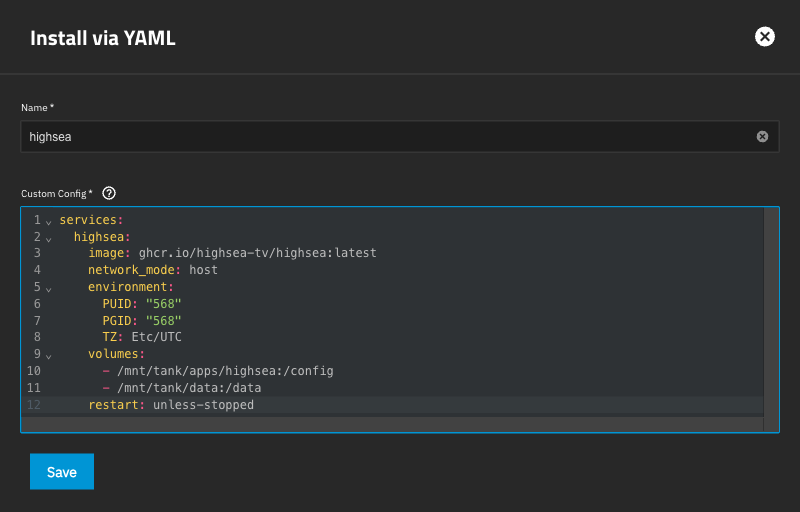
- Open the ⋮ menu at the top right and choose Install via YAML.
- Name:
highsea. TrueNAS accepts lowercase letters, numbers and dashes, starting with a letter. - Custom Config: paste the file below.
- Choose Save.
services:
  highsea:
    image: ghcr.io/highsea-tv/highsea:latest
    network_mode: host
    environment:
      PUID: "568"
      PGID: "568"
      TZ: Etc/UTC
    volumes:
      - /mnt/tank/apps/highsea:/config
      - /mnt/tank/data:/data
    restart: unless-stopped
Change tank to your pool's name, and TZ to your time zone. TrueNAS checks only that the YAML is well formed, so a wrong path shows up when the app starts, in its logs.
Host networking lets apps on your network find highsea by themselves. If something else on the NAS already uses port 3000 or 6881, stop it first.
Run setup
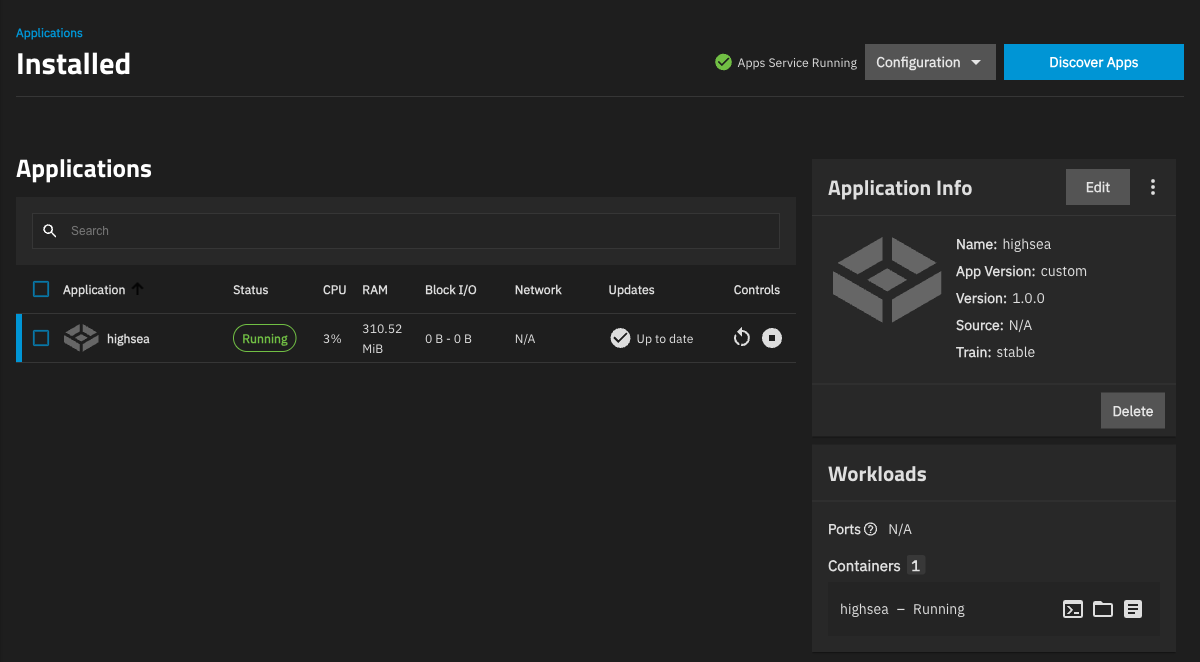
TrueNAS shows the app as Deploying while it starts. When it shows Running on the Apps page, open http://<your NAS's address>:3000. highsea opens its setup; Install with Docker › Run setup walks through each step.
When setup asks for your folders, use the paths inside the container: /data/media/movies and /data/downloads.