Install on Unraid
Add highsea to Unraid's Docker page from its template, with downloads and films on one share.
Written for highsea 0.1.0 on Unraid 7, and checked on 7.3.4.
highsea isn't listed in Community Applications yet, so you add its template by hand once. After that, Unraid treats it like any other container.
Before you start
- The array is started, and Docker is enabled under Settings › Docker.
- You have a share for your media. These steps use one called
data, holdingdownloadsandmedia/movies. Keeping both in one share is what lets highsea hardlink finished downloads into the library instead of copying them.
Add the template
Open the terminal from the top-right of Unraid's web interface, and run:
mkdir -p /boot/config/plugins/dockerMan/templates-user
wget -O /boot/config/plugins/dockerMan/templates-user/my-highsea.xml \
  https://raw.githubusercontent.com/highsea-tv/highsea-tv/main/templates/unraid/highsea.xml
This saves the template on the flash drive, where Unraid keeps the templates for your own containers. Unraid makes that folder when you add your first container, so on a new server the first command makes it.
Create the container
- Go to Docker and choose Add Container.
- In Template, choose highsea from the user templates.
- Check the fields:
- Config:
/mnt/user/appdata/highsea, where highsea keeps its database, settings and backups. - Data:
/mnt/user/data, your media share. - Web UI:
3000. Change it only if another container uses port 3000. - PUID and PGID, under Show more settings:
99and100, Unraid'snobodyandusers, which own your shares.
- Config:
- Choose Apply. Unraid downloads the image and starts the container. Wait until it says the command finished, then choose Done.
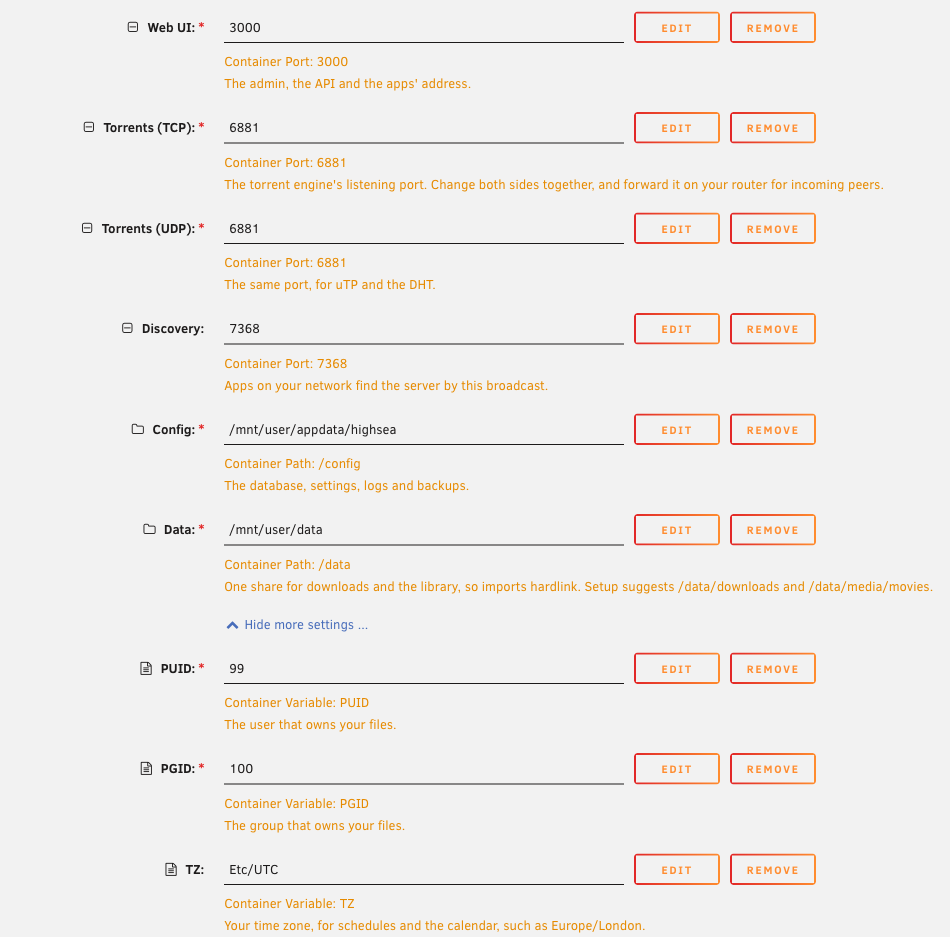
highsea uses the time zone in Settings › Date and Time, which Unraid passes to every container.
The template uses bridge networking, Unraid's default. Apps on your network find highsea by its broadcast on port 7368. If you'd like them to find it by mDNS too, set Network Type to Host; the ports then can't be changed, so check nothing else uses 3000 and 6881.
Run setup
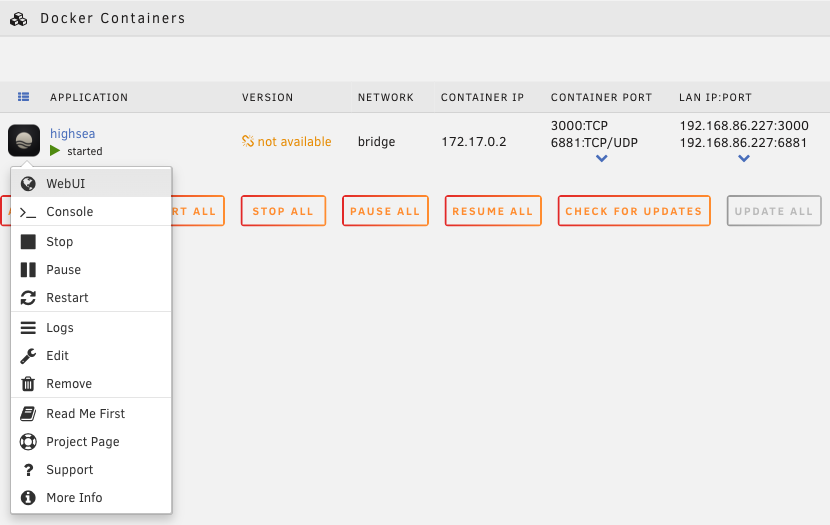
On the Docker page, select highsea's icon and choose WebUI. highsea opens its setup; Install with Docker › Run setup walks through each step.
When setup asks for your folders, use the paths inside the container: /data/media/movies and /data/downloads. highsea says "Hardlinks will work" when both are on the data share.
Start with the array
Turn on Auto-Start for highsea on the Docker page, so it starts whenever the array does.