Arrange your dashboard
Move, resize, add and remove the Dashboard's widgets, and set the layout new Admins start from.
Written for highsea 0.1.0.
Press Customize at the top of the page. You can also open the command palette with ⌘K (Ctrl+K on Windows and Linux) and choose Customize the dashboard from any page.
While you customise, each widget has a handle to drag it by, a corner to resize it, and a button to remove it. Nothing is saved until you press Done; Cancel, or leaving the page, puts everything back as it was.
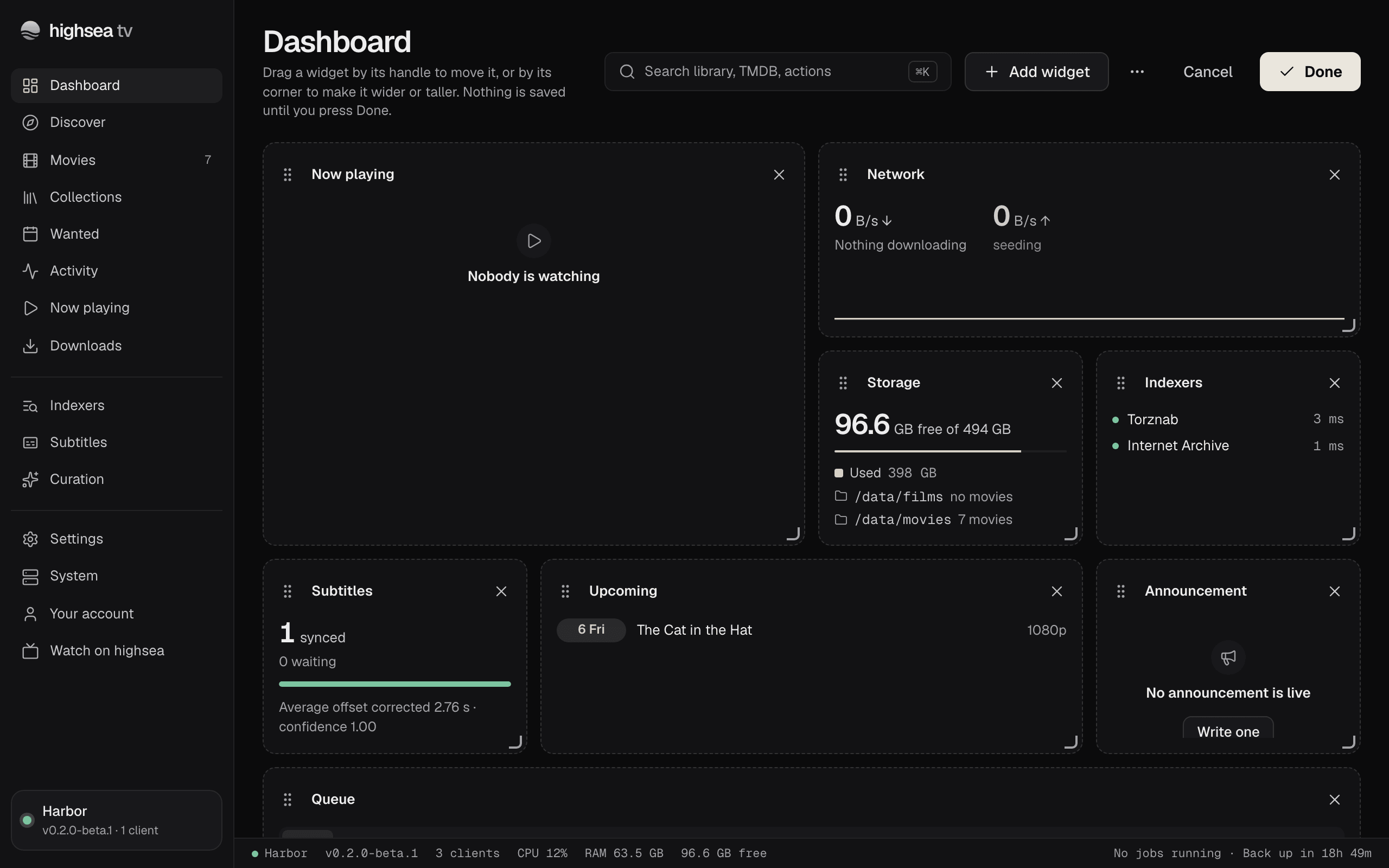
Move a widget
Drag it by its handle onto the place you want. The other widgets move aside.
Resize a widget
Drag its bottom corner sideways or down. Widgets snap to whole columns and rows, and each one has its own smallest and largest size. The grid is four columns wide on a large screen, and fewer on a smaller one.
Use the keyboard
Tab to a widget's handle, then:
| Key | What it does |
|---|---|
| Space or Enter | Pick the widget up, or drop it |
| Arrow keys | Move it one place earlier or later |
| Shift and Left or Right | Make it a column narrower or wider |
| Shift and Up or Down | Make it a row shorter or taller |
| Escape | Put it back where it was |
Add a widget
Press Add widget. A panel lists the widgets that aren't on your dashboard yet, each with a line on what it shows. Pick one, and it goes at the end of the grid at its usual size; move it from there.
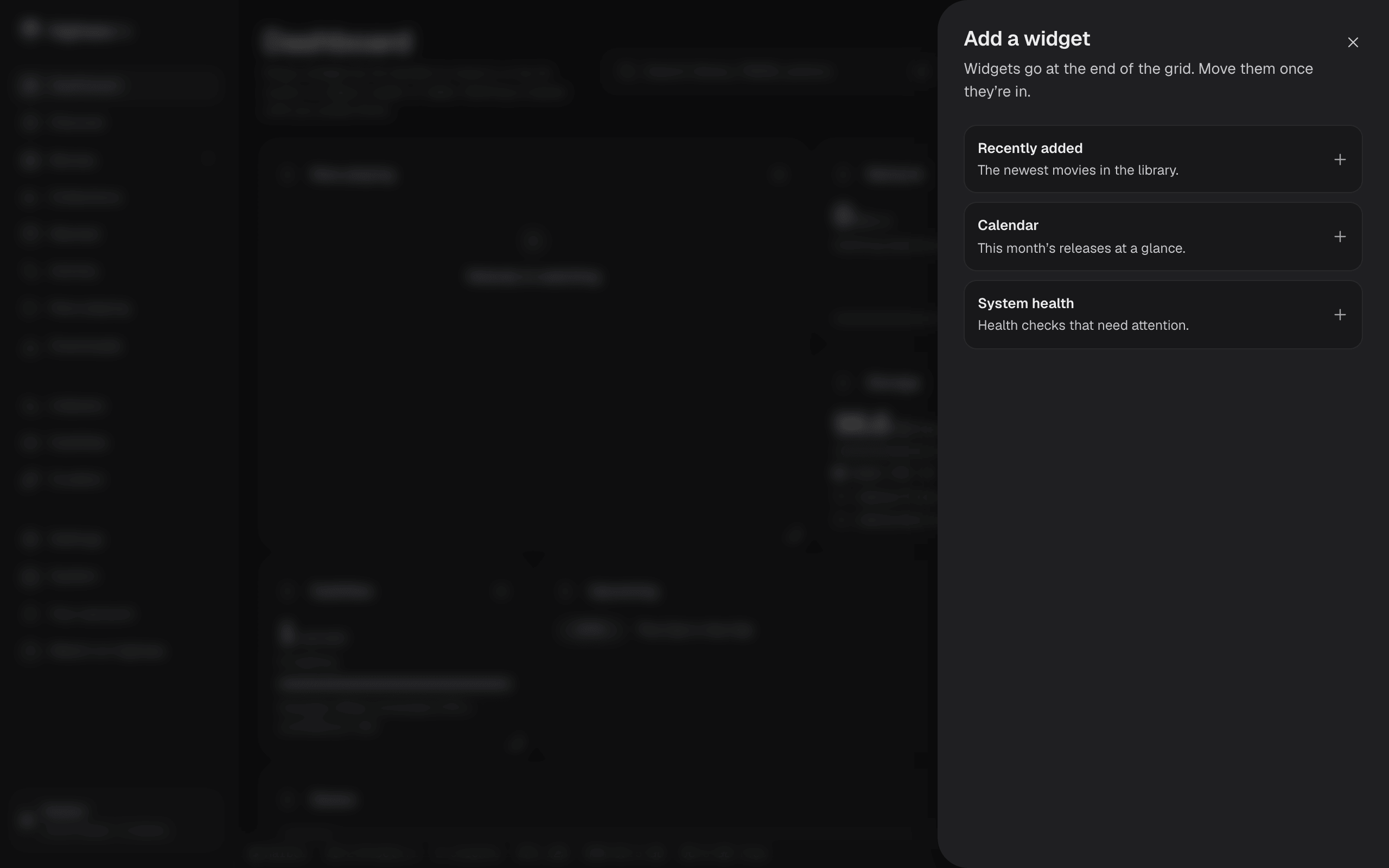
Remove a widget
Press the × in its corner. It's back in Add widget if you want it again.
Save
Press Done. "Dashboard saved" confirms it. Your layout is kept on the server, so it's the same in any browser you sign in on.
Go back to the starting layout
While customising, open the More layout options menu (the button beside Add widget) and choose Reset to default, then Done.
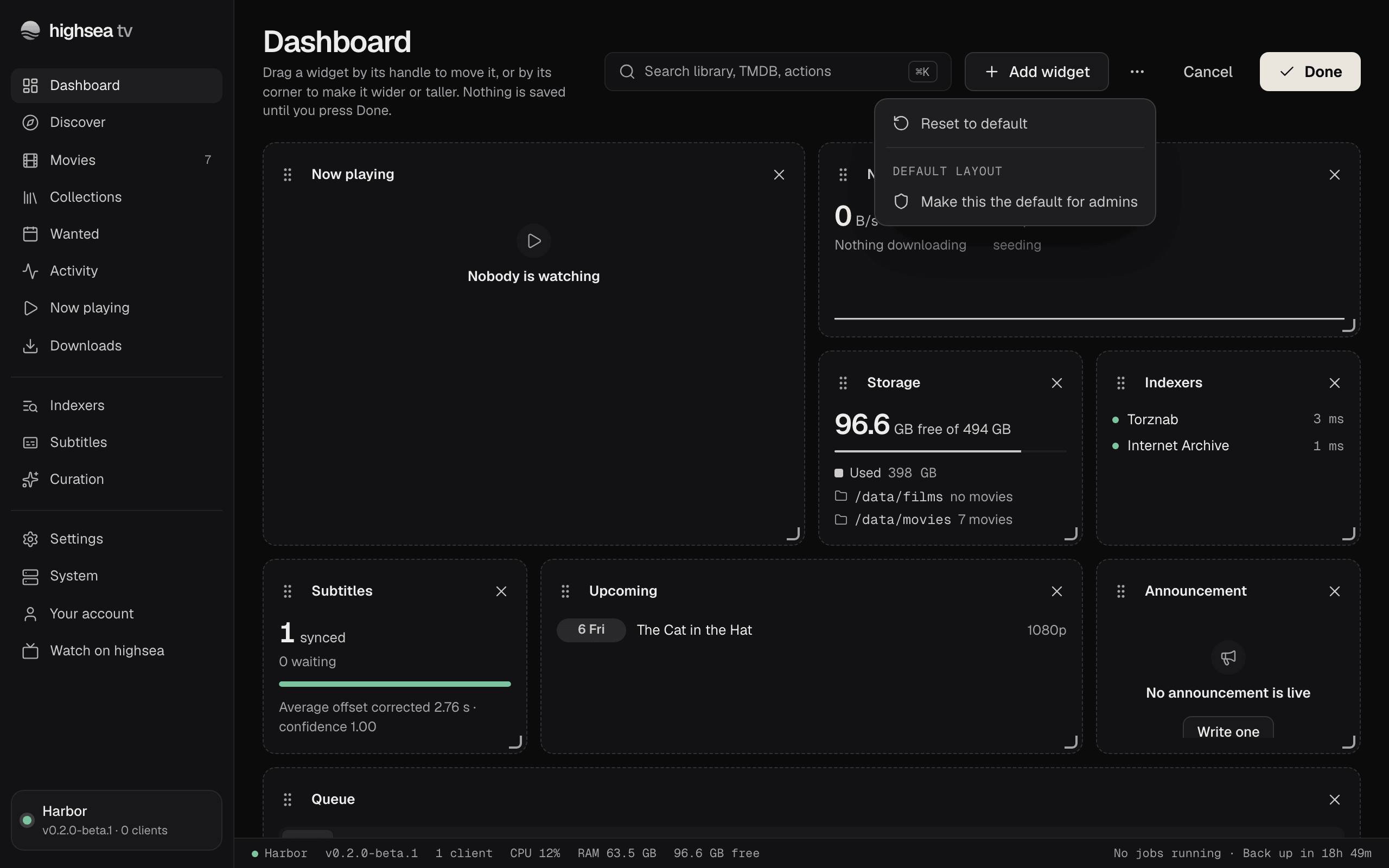
From then on you see your role's default layout. For an Admin, that includes any later change the Owner makes to the Admins' default.
Set the layout new Admins start from
This is for the Owner only.
Arrange the dashboard while customising, then open More layout options and choose Make this the default for admins. Admins who haven't arranged their own dashboard see it at once, and new Admins start from it. Anyone who has saved their own layout keeps it, until they choose Reset to default.