Watching in a browser
highsea's web app at /web, where everyone with an account watches the library in their browser.
Written for highsea 0.2.0-beta.1.
Every highsea server has a web app for watching, at /web on the same address as the admin: http://<your server>:3000/web/ at home, or your remote address followed by /web/ away from it. Nothing else needs installing. It's where Users watch, and Owners and Admins can watch there too.
Signing in
Open /web and sign in with your highsea username and password, or with the single sign-on button when the server has one. If you've turned on two-step verification, it asks for your code next. Signing in on /web or on the admin's own sign-in page works the same way: a User who signs in on the admin's page lands on /web, and an Owner or Admin lands on the admin.
From the admin, Watch on highsea, the last item in the sidebar and in the command palette, opens /web in the same browser, already signed in.
Passwords, passkeys and two-step verification are changed on the server's sign-in page for now, as Profile in the web app says.
Home
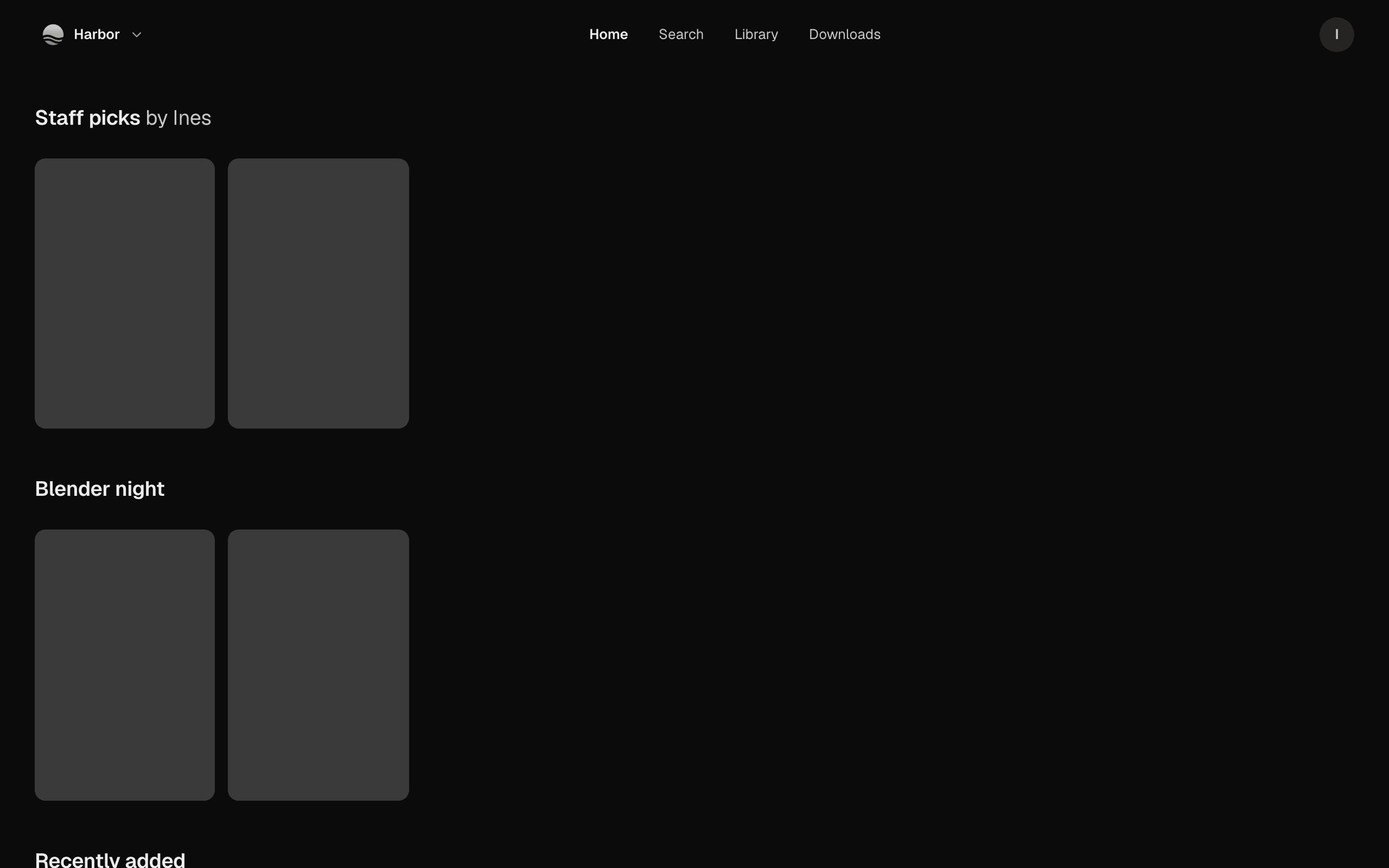
Home opens with the server's featured film when there is one, then Continue watching with what you've started, then the rows the Owner set up in Curation and Recently added. Settings › Home screen lets you reorder and hide rows; your order follows you to every device.
At the top, the server's name opens a short menu with the address in use. Away from home it says Connected remotely. Your initial, at the right, opens Profile, Settings and signing out.
The library and search
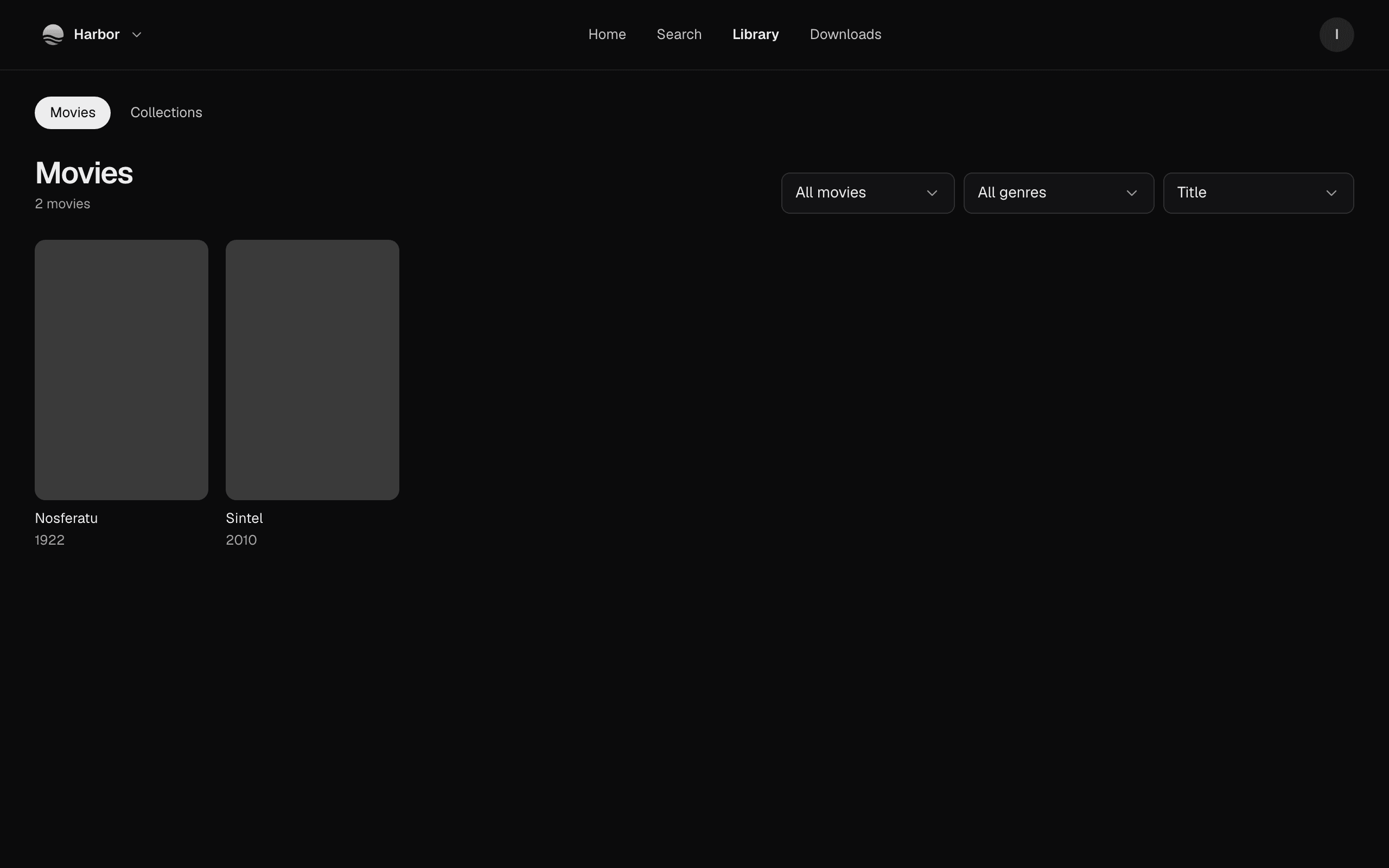
Library lists every movie you can watch, with Show (All movies or Unwatched), Genre and Sort. Collections beside it has the Owner's collections and the ones films here belong to. Search finds titles, genres and people on the server.
A film's page
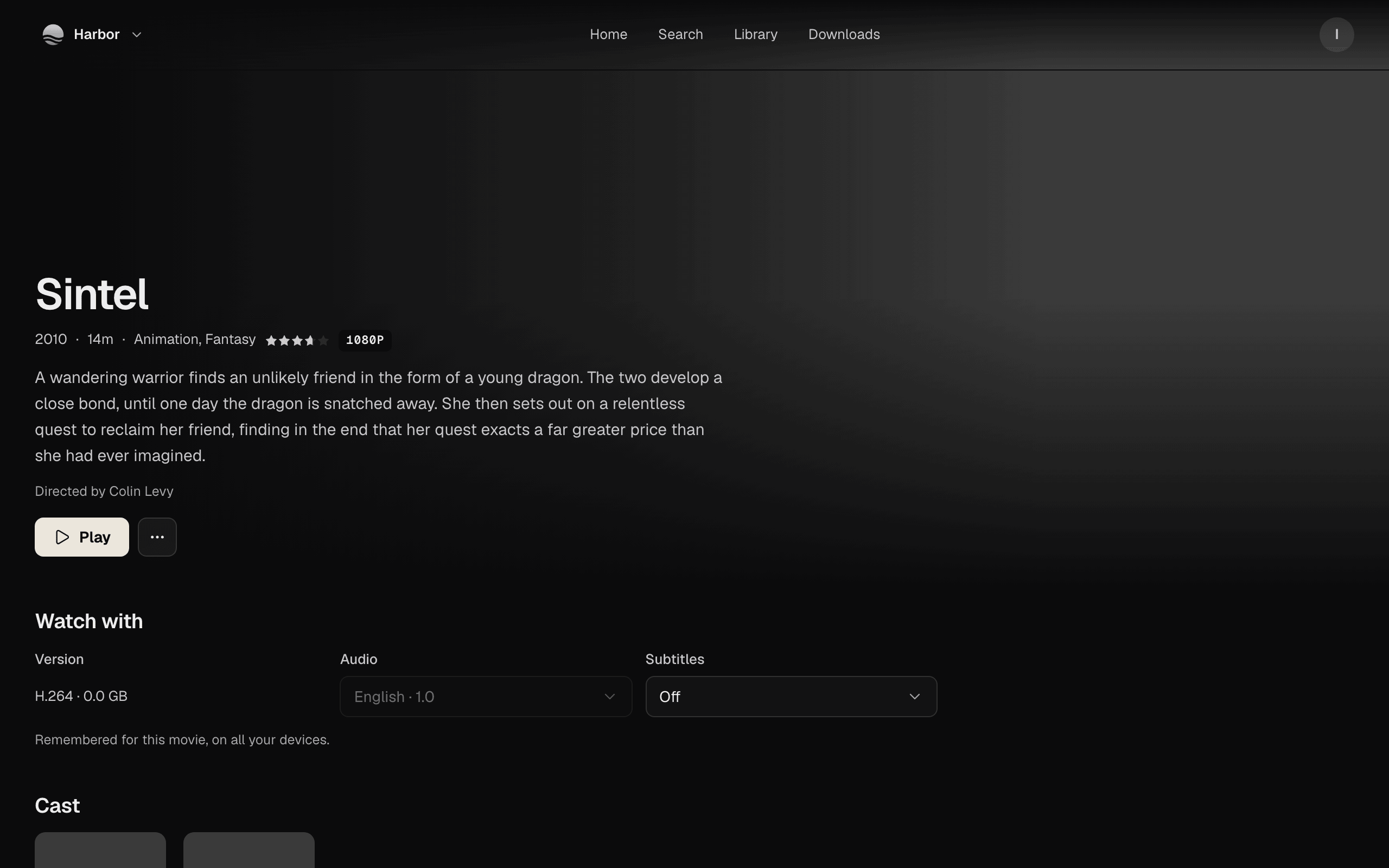
A film's page has Play, or Resume and Play from the start once you've started it. More marks it as watched or unwatched.
Watch with picks the Version, Audio and Subtitles before you play. What you choose is remembered for this movie, on all your devices, and the player starts with it. A version still waiting for its file isn't offered.
Which browsers
The web app plays in current Chrome, Edge, Firefox and Safari. highsea checks which formats your browser can play the first time you press Play, and again after the browser updates. A file the browser plays as it is, it gets as it is; otherwise the server repackages or converts it as it plays, which the player shows as Getting it ready for a moment.
A browser can't keep films for watching offline. Downloads explains that this comes with the desktop app.