Playing a film
The web app's player - audio and subtitles, subtitle timing, the keys, and carrying on where you stopped.
Written for highsea 0.2.0-beta.1.
Play or Resume on a film's page opens the player. It fills the window; the controls hide after 3 seconds of playing and come back when you move the pointer, touch the screen or press a key.
- At the top: Back to details, the title and the version being played.
- At the bottom: the position bar, which shows a preview of the frame under the pointer once the server has made them (it does so in the background after a film arrives), then play and pause, back and forward 10 seconds, mute, Audio and subtitles, Picture in picture where the browser has it, and Full screen.
Audio and subtitles
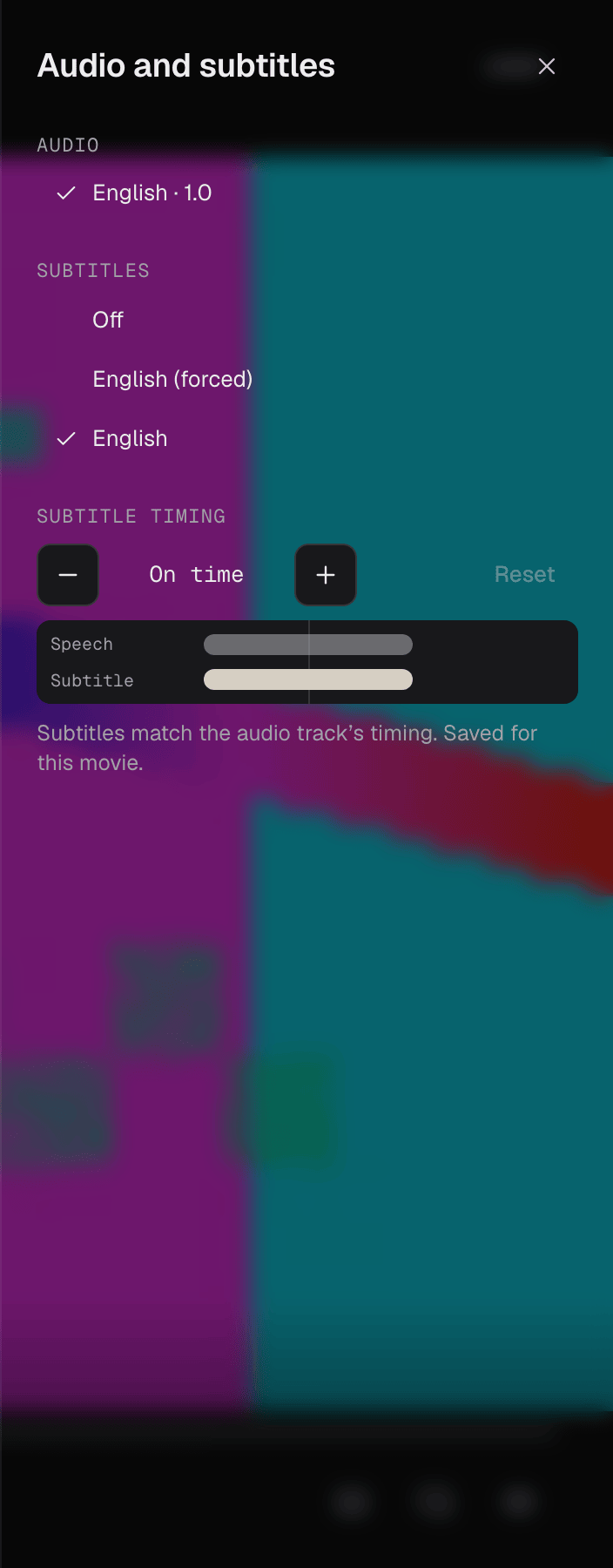
Audio and subtitles opens a panel at the right. When a film has more than one version, Version is listed first. Changing the version or the sound track starts again at the same point; changing subtitles doesn't interrupt the film. Your picks are saved for this movie, as on the film's page.
A subtitle that's a picture rather than text (PGS or VobSub, from Blu-ray and DVD) can't be shown in a browser yet. The panel says so when you pick one.
Subtitle timing
When subtitles come too early or too late, Subtitle timing moves them in 50 ms steps: − shows them earlier, + later, and Reset puts them back On time. The bars underneath show the subtitle against the speech as you change it. The change is saved for this movie on every device, and doesn't reload the film.
Most subtitles highsea downloads are already synced to the film's speech (see Subtitles); the timing is for the few that still need it.
Keys
| Key | What it does |
|---|---|
| Space | Play or pause |
| ← and → | Back or forward 10 seconds |
| M | Mute or unmute |
| F | Full screen, or out of it |
| Esc | Closes the panel; with no panel open, goes back to the film's page |
The keyboard's media keys, headphone buttons and the browser's own media controls play, pause and seek too, and show the film's title and artwork.
Carrying on where you stopped
While a film plays, the player tells the server where you are every 10 seconds, and again when you pause, seek or leave, including when you close the tab. Open the film on another device and Resume starts there. Past 90% the film counts as watched.
Near the end of a film in a collection, Next up shows the next one and starts it after 10 seconds, unless you press Cancel. Play now starts it at once.
When something goes wrong
- Buffering shows when the film has waited more than a second for the network.
- This film didn't start means the server couldn't read the file. Try again, or pick another version in Audio and subtitles. If it keeps happening, the Owner can look at the file on the film's page in the admin.