The queue
Follow each film's download and import, pause and remove downloads, and fix stalled downloads and blocked imports.
Written for highsea 0.1.0.
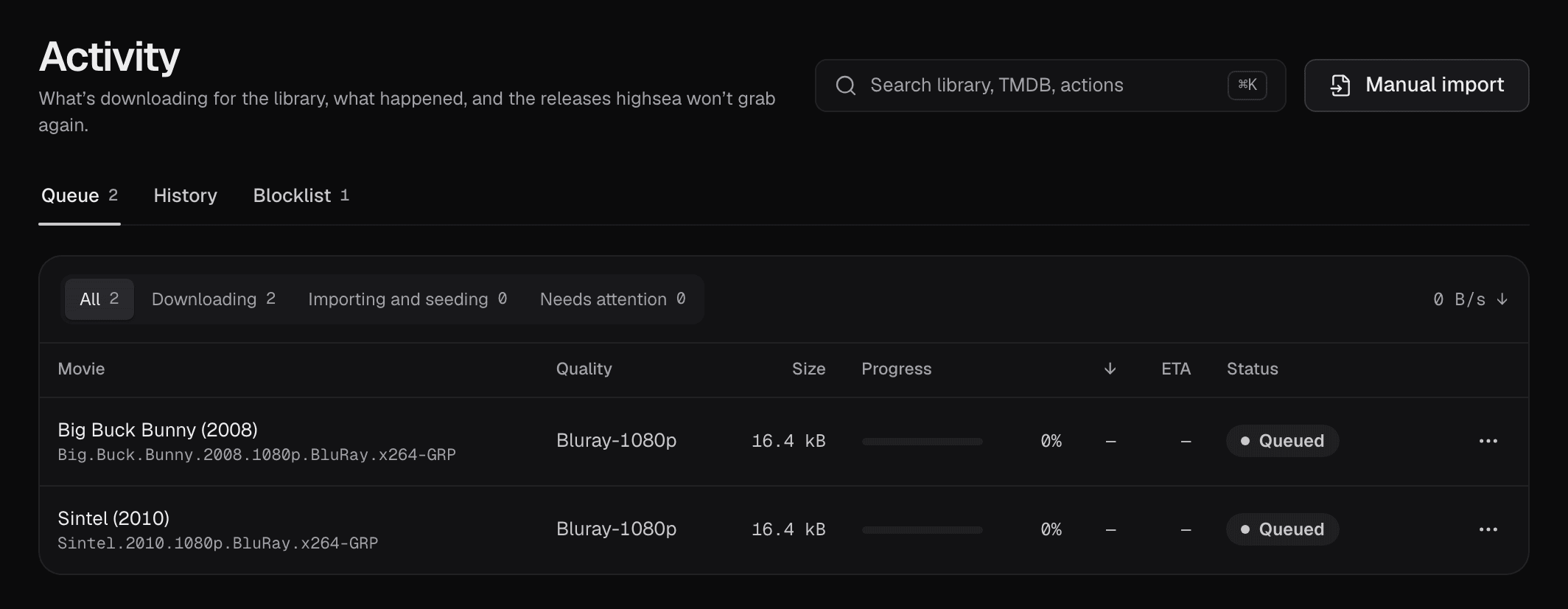
Queue lists every film that's downloading or importing, live. A film moves to History once it's imported. The tab shows how many are in the queue.
Each row shows the film and the release's name, the quality, the size, the progress, the download speed (↓), the time left (ETA) while it downloads, and the status:
- Queued, Checking and Downloading: on its way.
- Paused: stopped by someone; Resume starts it again.
- Stalled: no data and no seeds for 2 hours.
- Importing: finished, and being brought into the library.
- Import blocked: finished, but highsea couldn't import it.
- Seeding and Completed: imported; the torrent is seeding or done.
- Error: something went wrong; the reason is under the status.
The filters above the list narrow it: All, Downloading, Importing and seeding, and Needs attention (stalled, import blocked and errors). Each shows its count.
Pause, resume and remove
- Pause stops a download that's queued, downloading or stalled. Resume starts it again.
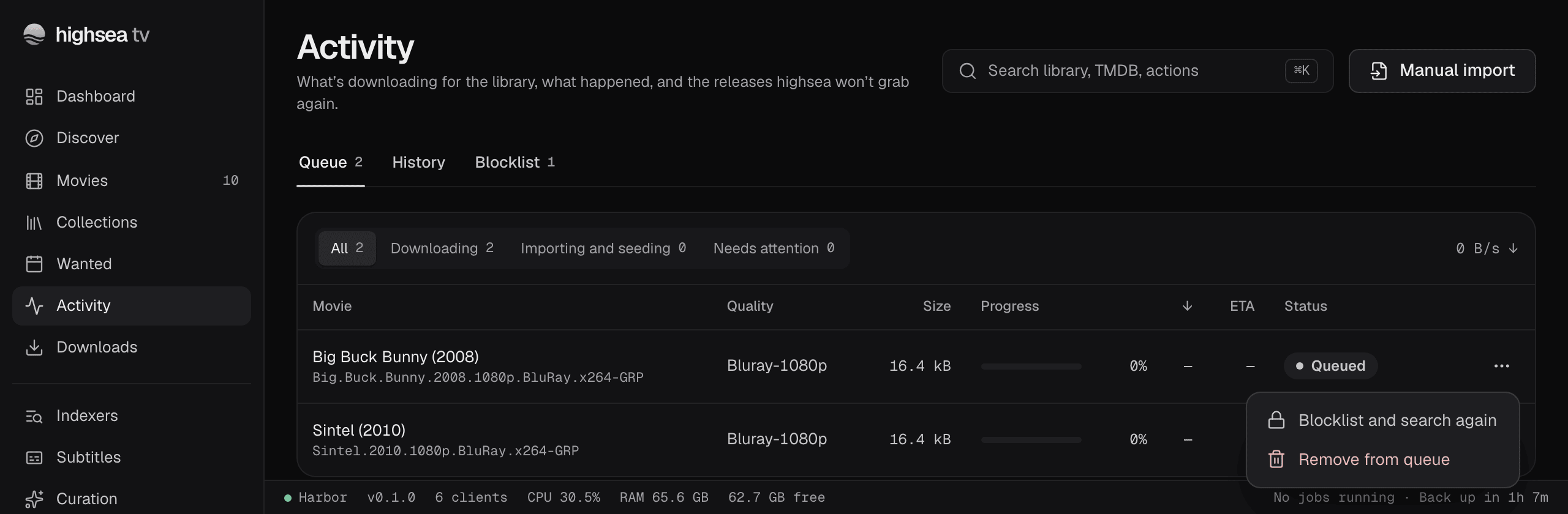
- Remove from queue, in the row's menu, stops the download and deletes its data. The film stays in the library, still monitored, so highsea goes on looking for it. You're asked to confirm first.
Stalled downloads
A download with no data and no seeds for 2 hours shows Stalled, with the reason under it. At 3 hours, highsea blocklists the release and grabs another on its own.
To do it sooner, select Replace. highsea blocklists the stalled release and grabs the best remaining one in one step.
Blocked imports
When a download finishes but can't be imported, its status is Import blocked, with the reason under it. Common reasons:
- the quality profile doesn't want what the file turned out to be, once highsea has read the file itself;
- there's no video file in the download, or only samples;
- an archive couldn't be unpacked, or held an executable file;
- the download's files are gone.
You can:
- Find another: blocklist the release and grab the best remaining one.
- Import without the blocked file, in the row's menu: import anyway.
- Remove from queue, in the row's menu.
Some releases are never left waiting. A torrent that lists an executable file is refused before anything downloads, then blocklisted and replaced. A release packed in a password-protected archive is blocklisted and replaced too, since it can never import. An executable found only once an archive is unpacked blocks the import, and says so.
Blocklist and search again
Blocklist and search again, in any row's menu, blocklists the release and grabs another, at any point before it's imported. Use it when you know a release is wrong, for example the wrong film or a poor copy.
Blocklisted releases are listed on the Blocklist tab; see The blocklist.