Tasks
The jobs highsea runs on a schedule, what each one does, and how to run one straight away.
Written for highsea 0.1.0.
Tasks lists the jobs highsea runs on a schedule, with each one's State (Running, Queued, Idle or Failed), how often it runs (Every), its Last run and Next run. A failed task shows its last error under its state. A task that's switched off reads Off under Next run.
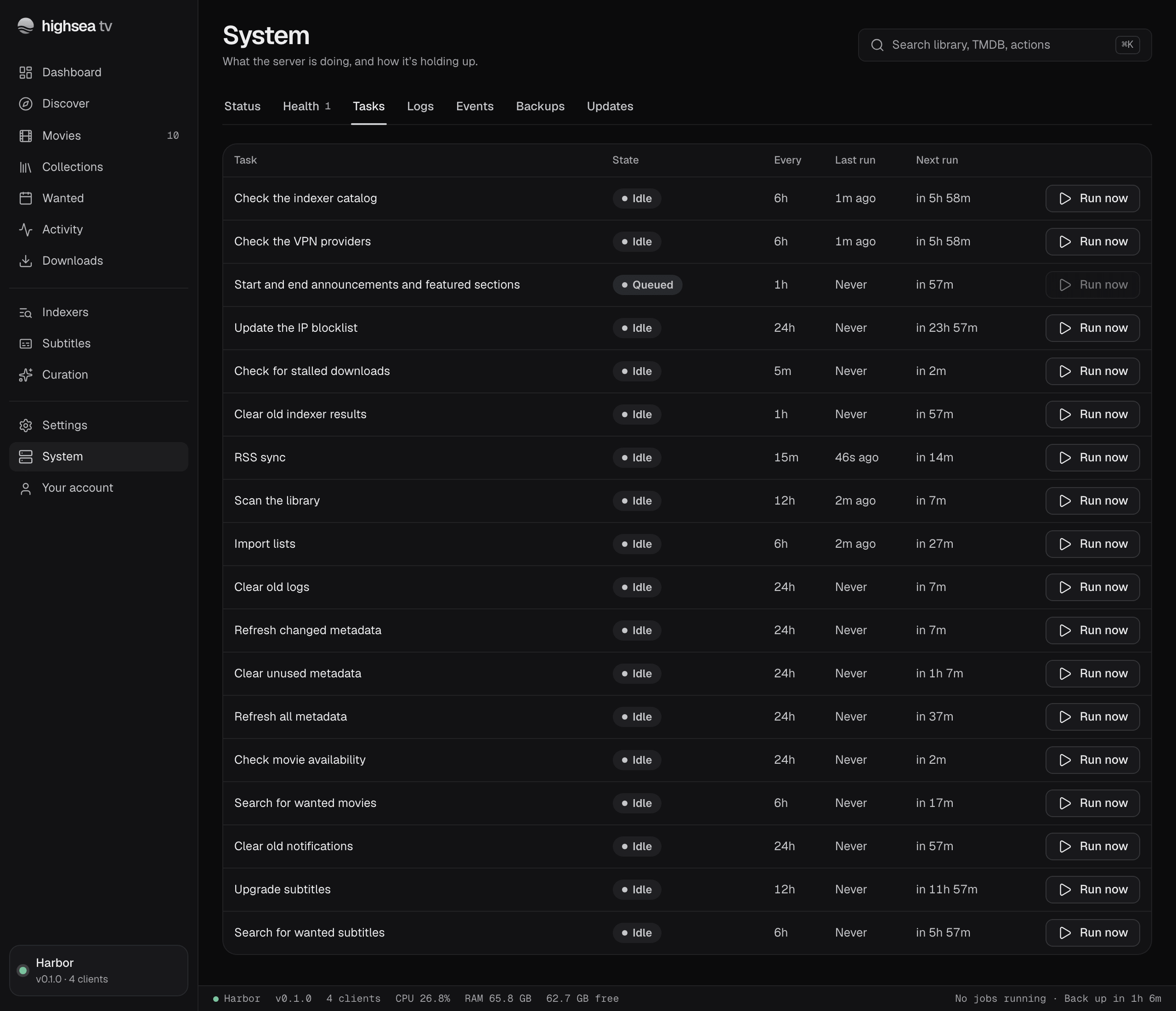
Run now starts a task straight away. It's unavailable while that task is already queued or running.
What each task does
| Task | What it does |
|---|---|
| RSS sync | Reads new releases from your indexers |
| Search for wanted movies | Searches for missing films and upgrades |
| Import lists | Syncs your lists |
| Check for stalled downloads | Finds downloads that have stopped |
| Scan the library | Finds files added, changed or removed outside highsea |
| Check movie availability | Updates whether films have been released |
| Search for wanted subtitles | Searches for missing subtitles |
| Upgrade subtitles | Looks for better subtitle matches |
| Refresh changed metadata, Refresh all metadata | Keeps film details up to date |
| Clear unused metadata | Removes cached details nothing uses |
| Check the indexer catalog, Check the VPN providers | Looks for new indexer definitions and VPN providers |
| Update the IP blocklist | Fetches the latest blocklist |
| Start and end announcements and featured sections | Applies Curation's schedules |
| Back up | Makes the scheduled backup |
| Clear old logs, Clear old notifications, Clear old indexer results | Tidies up what's no longer needed |
| Clear what was watched over 30 days ago | Keeps Now playing's history to 30 days |