Connections
The torrent client's listening port, encryption, downloads at once, UPnP and NAT-PMP, uTP, IPv6 and the IP blocklist.
Written for highsea 0.1.0.
The Connections section of Settings › Download client sets how highsea's torrent client reaches other peers.
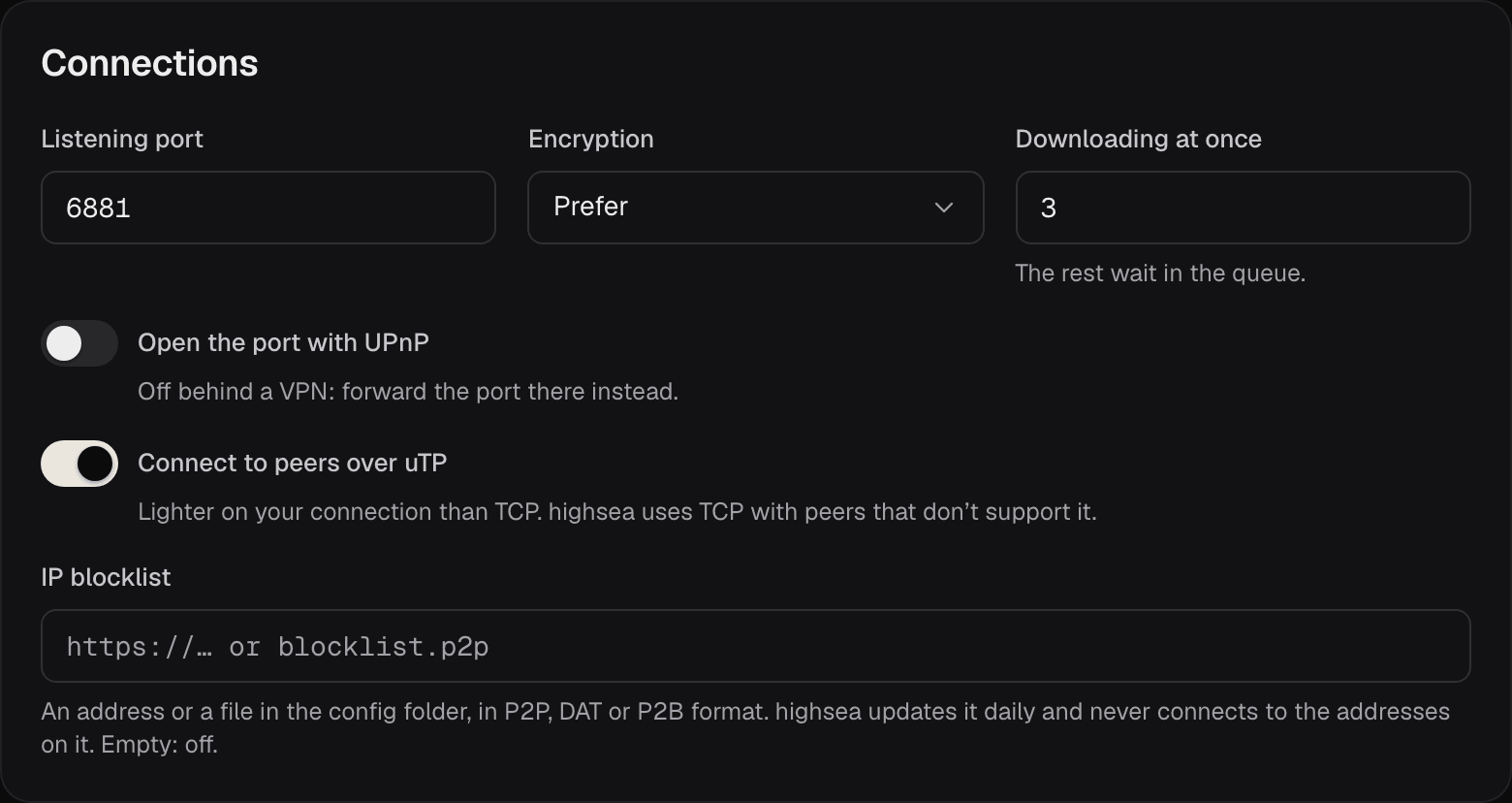
| Setting | What it does | Default |
|---|---|---|
| Listening port | The port other peers connect to, for TCP and UDP. From 1024 to 65535. | 6881 |
| Encryption | Whether connections to peers are encrypted: Require, Prefer or Allow. | Prefer |
| Downloading at once | How many torrents download at the same time, from 1 to 20. The rest wait in the queue. Seeding torrents don't count. | 3 |
| Open the port with UPnP | Asks your router to forward the listening port. | Off |
| Connect to peers over uTP | Connects to peers over uTP as well as TCP. | On |
| IP blocklist | A list of addresses highsea never connects to. | Empty (off) |
Listening port
Peers find you on this port. If you publish ports rather than use host networking, the compose file publishes 6881 for TCP and UDP. When you change the port here, change both sides of those lines too, such as "6882:6882/tcp" and "6882:6882/udp", then recreate the container.
With a VPN that forwards a port, highsea uses the forwarded port; see Port forwarding.
Encryption
Encryption hides the BitTorrent traffic from anything watching the connection, such as an internet provider that slows torrents down. It doesn't hide who you are; a VPN does that.
- Require: every connection is encrypted. Peers that can't encrypt are left out, so you may find fewer.
- Prefer: highsea tries encryption first, and falls back to a plain connection when a peer doesn't support it.
- Allow: highsea connects without encryption first, and tries encryption with a peer that refuses that.
Prefer suits most people.
UPnP and NAT-PMP
With Open the port with UPnP on, highsea asks your router to forward the listening port, so peers can reach you. It tries NAT-PMP first, then UPnP. Your router needs one of them turned on.
It does nothing while a VPN is in use: forwarding a port on your home router doesn't help a tunnel. Forward the port with your VPN provider instead. Leave it off if you've forwarded the port on your router by hand.
uTP
uTP is a way of talking to peers over UDP that gives way to other traffic on your connection, so torrents slow your browsing and calls less. highsea uses TCP with peers that don't support it. Leave it on unless you're chasing a connection problem.
IPv6
highsea connects to peers over IPv6 as well as IPv4 wherever the network, and the VPN, allow it. There's no setting for it.
IP blocklist
Enter either:
- an
http://orhttps://address of a list, which highsea downloads once a day; or - the name of a file in the config folder.
The list can be in P2P, DAT or P2B format, and gzipped. highsea keeps the last good copy in the config folder, so it applies straight away after a restart. If a new copy can't be downloaded or read, the one in use stays, and System's health list says why. Leave the field empty to turn the blocklist off.
Download client
How highsea's built-in torrent client is set up, with its port, encryption and connections, seeding, categories, the watch folder, and what happens when a download stalls or finishes.
Categories and the watch folder
Categories set where torrents you add by hand save to, and the watch folder adds any .torrent file dropped into it.