Importing
What happens when a download finishes or a file is replaced, with hardlinks or copies, permissions, the recycle bin and archives.
Written for highsea 0.1.0.
Importing, on Settings › Media management, decides what happens when a download finishes, or a file is replaced or deleted. Changes wait in a bar at the bottom of the page until you choose Save or Discard. The card also holds the root folders.
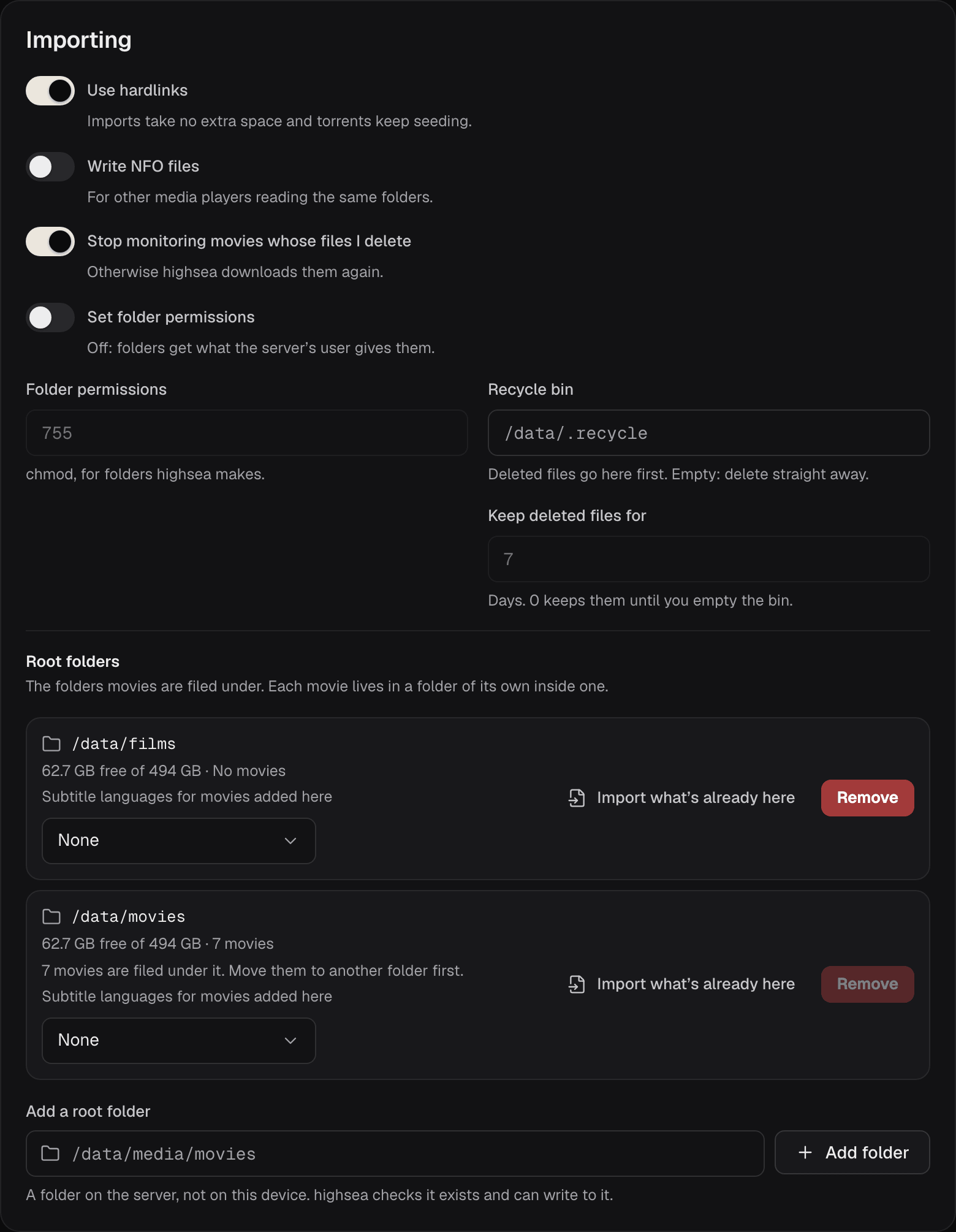
| Setting | What it does | Default |
|---|---|---|
| Use hardlinks | A finished download appears in the library as a hardlink: it takes no extra space and the torrent keeps seeding. Off, every import is a copy. | On |
| Write NFO files | Writes an .nfo file beside each film, with poster.jpg and fanart.jpg in its folder, for other media players reading the same folders. | Off |
| Stop monitoring movies whose files I delete | When a film's file disappears from disk outside highsea, the film stops being monitored. Otherwise highsea downloads it again. | On |
| Set folder permissions | Applies Folder permissions to folders highsea makes, and to the files it imports. Off, they get what the server's user gives them. | Off |
| Folder permissions | The mode, as three digits like chmod takes: 755, 775. Files get the same, without the execute bits. | 755 |
| Recycle bin | A folder that replaced and deleted files go to first, as a full path. Empty, they're deleted straight away. | Empty |
| Keep deleted files for | Days a file stays in the recycle bin before highsea deletes it, up to 3650. 0 keeps them until you empty the bin yourself. | 7 |
Hardlinks and copies
A hardlink only works when the download and the library are on the same disk or share. When they aren't, or the share refuses hardlinks, highsea copies the file instead, even with Use hardlinks on. A copy takes the space twice while the torrent seeds, except on filesystems that can make copy-on-write copies, where highsea uses one.
highsea writes each file under a temporary name and renames it into place, so a crash never leaves half a file in your library.
Permissions
Leave Set folder permissions off unless something else that reads your library, such as another media player running as a different user, can't open what highsea writes. Then 775 lets everyone in your group write too. highsea runs as whoever owns your data folder, unless PUID and PGID in your compose file choose another user; see Install with Docker.
Archives
Some releases come as RAR, 7z or zip archives. highsea extracts them on its own, imports the film, then removes the extracted copy. The archives stay, so the torrent keeps seeding. Password-protected archives can't be imported. highsea's Docker image includes the tool it uses; if you run highsea another way and it's missing, System's health list says so.