Root folders
The folders your films are filed under, adding and removing one, its subtitle languages, and importing what's already in it.
Written for highsea 0.2.0-beta.3.
A root folder is a folder your films are filed under, such as /data/media/movies. Each film gets a folder of its own inside one. Setup adds your first; most servers need only one.
Root folders are listed under Importing on Settings › Media management. Each shows its free space, how many films are filed under it, how many folders need a match (see below), and Can't be read now when the disk isn't there. Changes to root folders save as soon as you make them.
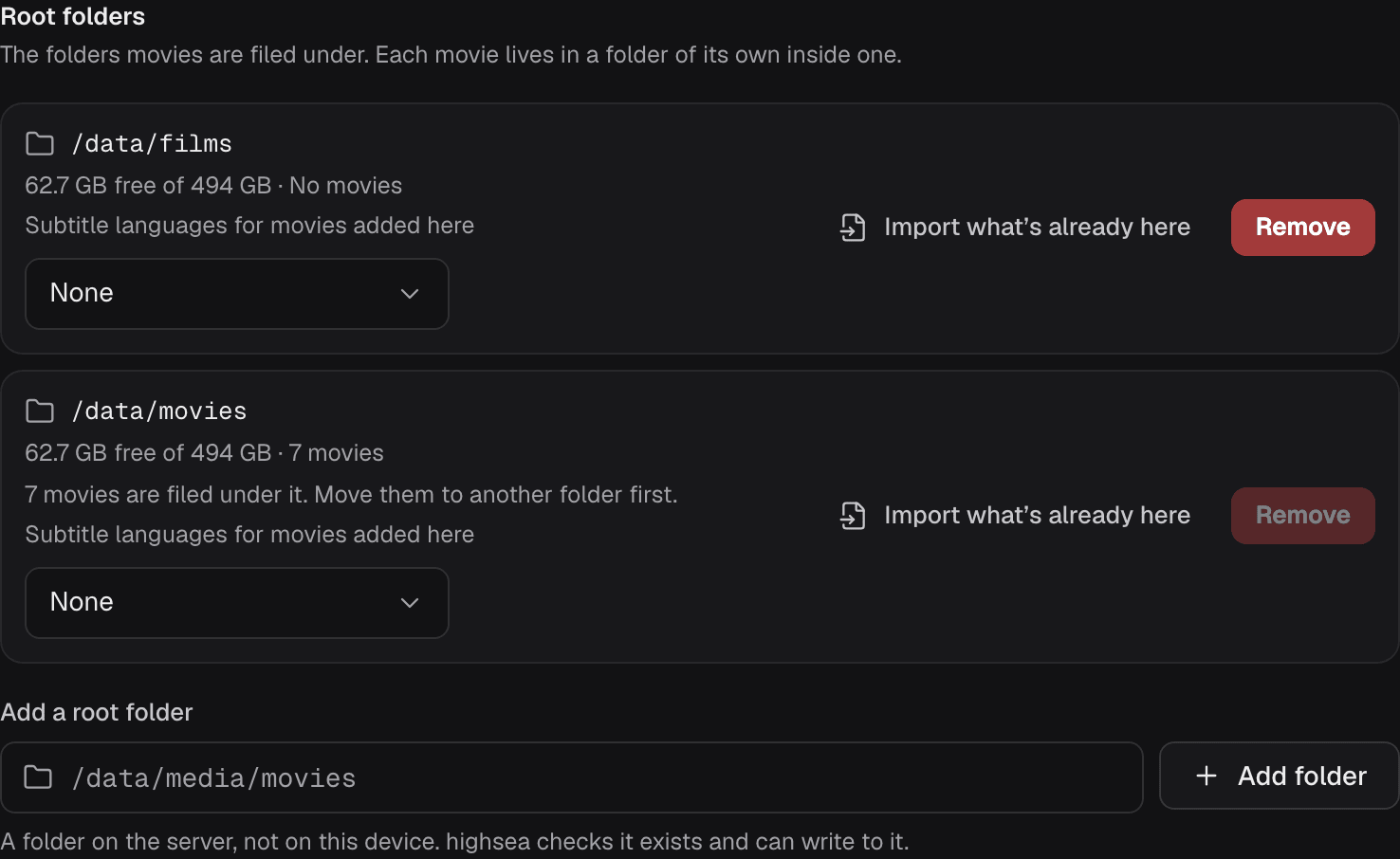
Add a root folder
Type the folder's full path under Add a root folder and choose Add folder. The path is a folder on the server, as highsea sees it inside its container, not on the device you're browsing from. highsea checks that:
- the path is a full one, starting with
/; - the folder exists;
- highsea can write to it;
- it isn't a root folder already, or inside or around one.
Put it on the same disk as your downloads, so imports can use hardlinks. Folders and hardlinks explains why.
Films already in the folder
When you add a root folder, at setup or here, highsea looks inside it straight away. It does the same whenever a new film folder appears in it, and in the library scan every 12 hours. Each folder inside is read as one film, by its name, and matched on TMDB, with highsea's key or yours (see Metadata).
A film is added where it is, with nothing moved or renamed, when its match is sure:
- the folder's name has the film's ID in it, such as
Sintel {tmdb-45745}or{imdb-tt1727587}; - or TMDB has a film with the folder's title and year, such as
Sintel (2010).
Anything less certain, such as a folder with no year, waits for you. The root folder's row then says how many, for example "2 folders need a match in Library import". Use Import what's already here to check those matches and import them. highsea doesn't search for a waiting folder again until it changes. A downloads folder inside a root folder is left alone.
Subtitle languages for films added here
Each root folder has a Subtitle languages for movies added here setting. Films added to that folder start with the languages you pick, from the language profiles on Subtitles. None means films added there get no subtitles until you choose some.
Import what's already here
Import what's already here opens the library import in Activity for that folder, for films that need a match, or to import them renamed. highsea reads each folder inside it as one film, by its name: Title (Year), or with a {tmdb-…} or {imdb-…} ID in the name. It matches each on TMDB, with highsea's key or yours (see Metadata).
You choose a quality profile, and whether to Rename to my format, which names folders and files with the naming formats; otherwise nothing is moved or renamed. A folder with no match on TMDB says so: add {tmdb-…} with the film's TMDB ID to the folder's name and look again. Activity has more on importing.
Remove a root folder
Remove stops highsea using the folder for new films. Nothing on disk changes, and you can add it again later. A folder with films filed under it can't be removed: move them to another folder first.