Naming
How highsea names the folders and files it imports, the tokens a format can use, and what happens to colons.
Written for highsea 0.1.0.
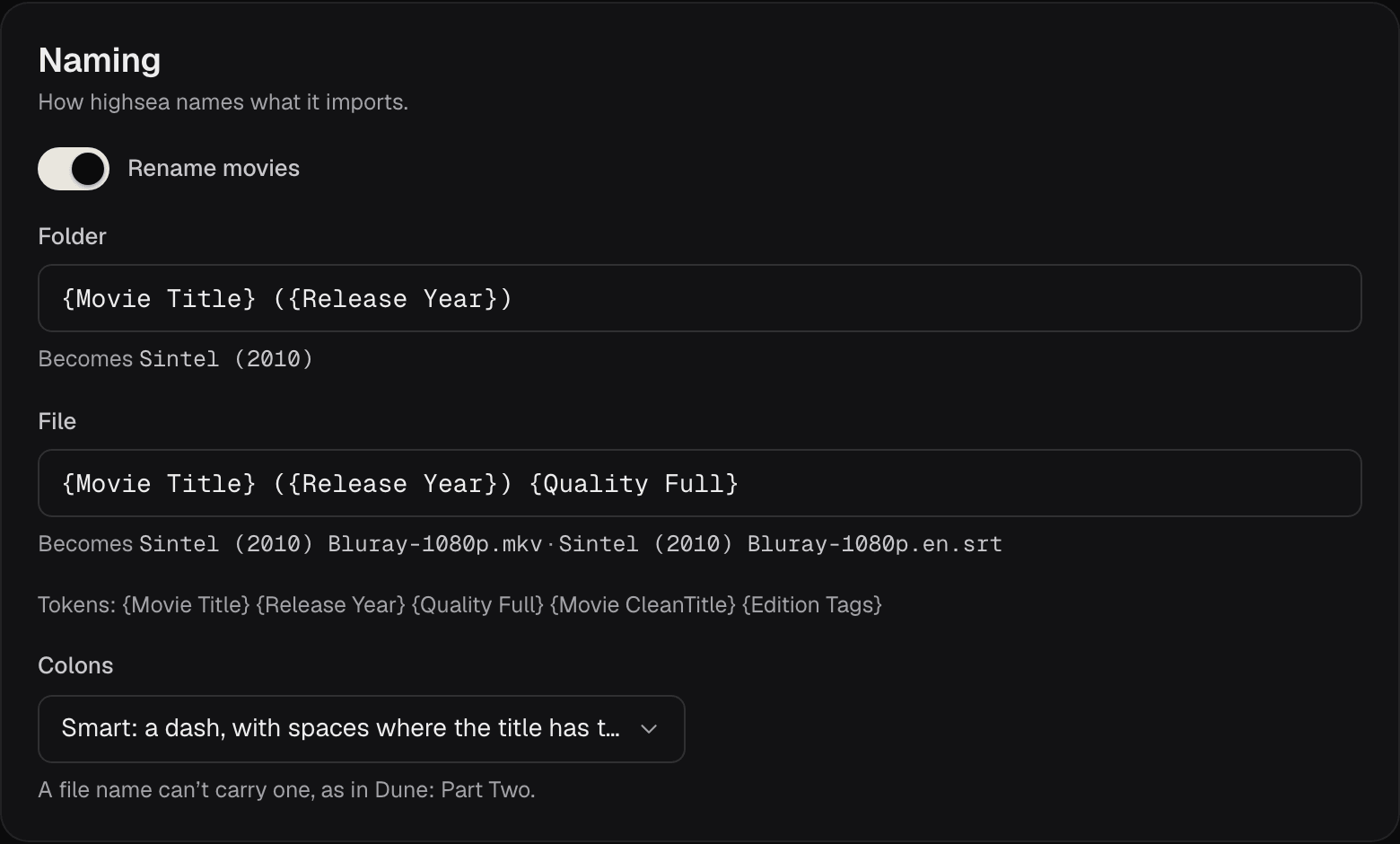
Naming, at the top of Settings › Media management, sets how highsea names what it imports. Changes wait in a bar at the bottom of the page until you choose Save or Discard.
| Setting | What it does | Default |
|---|---|---|
| Rename movies | Off, files keep the names they came with, and the formats below are greyed out. | On |
| Folder | The format for each film's folder. | {Movie Title} ({Release Year}) |
| File | The format for each film's file, without the extension. | {Movie Title} ({Release Year}) {Quality Full} |
| Colons | What happens to a colon in a title, since a file name can't carry one. | Smart |
Under each format, Becomes shows what the open film Sintel would be called, so you see the result as you type. Subtitles keep the film's file name and add their language, such as .en.srt.
Tokens
A format is text with tokens in braces. The page lists the common ones: {Movie Title}, {Release Year}, {Quality Full}, {Movie CleanTitle} and {Edition Tags}. highsea uses the same tokens as Radarr, so formats you used there work here.
| Token | Becomes | Folder | File |
|---|---|---|---|
{Movie Title} | The title | Yes | Yes |
{Movie CleanTitle} | The title without punctuation, & as "and" | Yes | Yes |
{Movie TitleThe} | The title with "The" moved to the end | Yes | Yes |
{Movie OriginalTitle}, {Movie CleanOriginalTitle} | The title in its original language | Yes | Yes |
{Movie Collection} | The collection the film belongs to | Yes | Yes |
{Release Year} | The year | Yes | Yes |
{ImdbId}, {TmdbId} | The film's IMDb or TMDB ID | Yes | Yes |
{Quality Full} | The quality, with Proper or REAL when the release is one | No | Yes |
{Quality Title} | The quality alone, such as Bluray-1080p | No | Yes |
{Release Group} | The group that made the release | No | Yes |
{Edition Tags} | The edition, such as Director's Cut or IMAX | No | Yes |
{Custom Formats} | The custom formats the release matches | No | Yes |
{MediaInfo VideoCodec}, {MediaInfo AudioCodec}, {MediaInfo AudioChannels} | Read from the file itself | No | Yes |
{MediaInfo VideoDynamicRange}, {MediaInfo VideoDynamicRangeType} | HDR, and its kind, read from the file | No | Yes |
A few rules:
- The case of a token sets the case of its value:
{movie title}is lower case,{MOVIE TITLE}upper. - A token that has nothing to say, such as
{Edition Tags}on a film with no edition, is left out. - A
/in the file format makes a subfolder. - The file format must include the title, so files can be told apart.
- A folder can't use a token that describes a file, such as
{Quality Full}.
highsea refuses to save a format with a token it doesn't know, and says which.
Colons
| Choice | Dune: Part Two | 3:10 to Yuma |
|---|---|---|
| Delete them | Dune Part Two | 310 to Yuma |
| Replace with a dash | Dune- Part Two | 3-10 to Yuma |
| Replace with a space and a dash | Dune - Part Two | 3 -10 to Yuma |
| Replace with a dash between spaces | Dune - Part Two | 3 - 10 to Yuma |
| Smart: a dash, with spaces where the title has them | Dune - Part Two | 3-10 to Yuma |
Smart suits most libraries.