Devices and API keys
See every browser signed in to the server, sign one out, and make API keys for scripts and other programs.
Written for highsea 0.1.0.
The Devices and API keys tabs of Settings › Users and devices list where people are signed in and which programs can talk to the server.
Devices
The Devices tab lists every browser signed in to the server: the device, whose it is, the app and its version, the address it last came from, and when it was last seen. Whose devices narrows the list to one person.
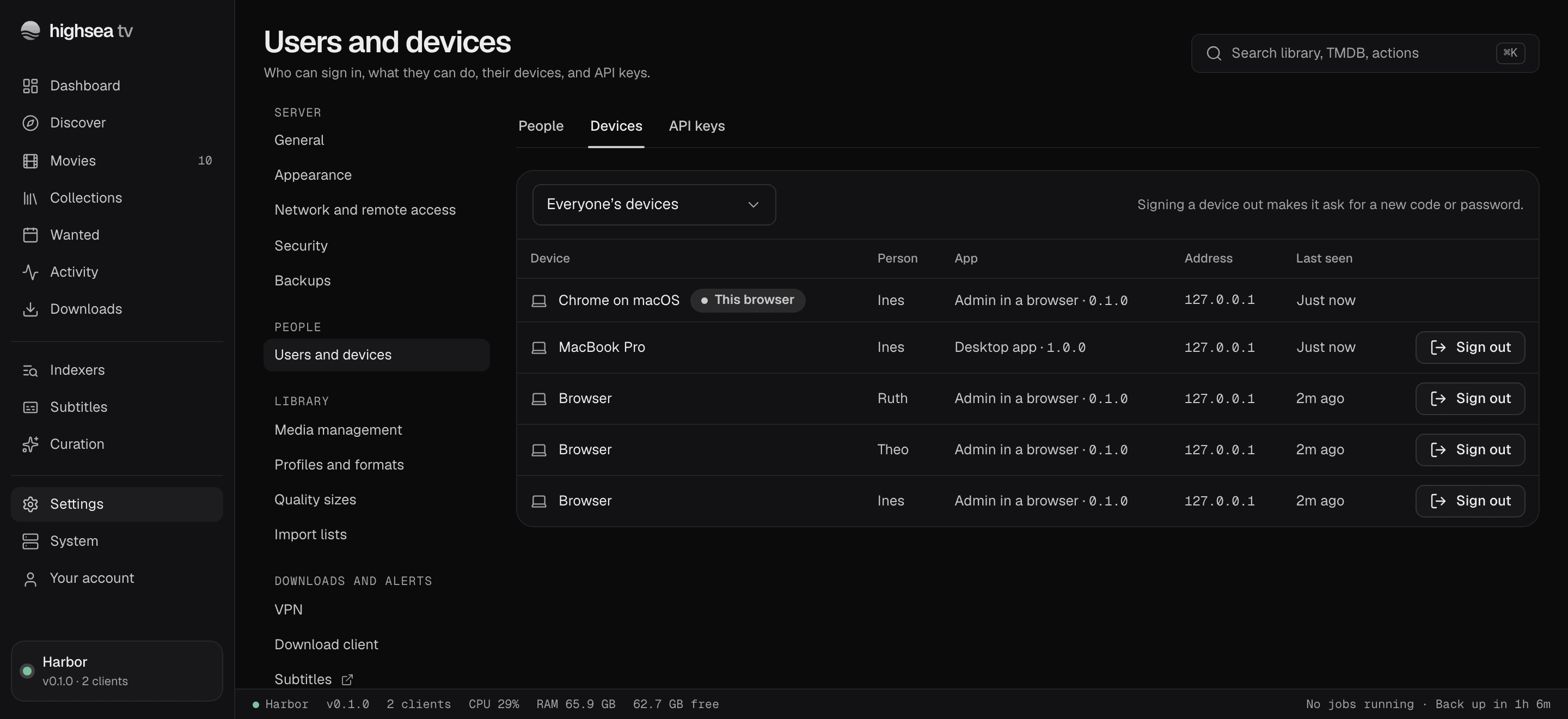
Sign out ends a device's session at once; the person signs in again with their password. The Owner can sign out anyone's devices, an Admin only their own. The browser you're using is marked This browser; sign it out from Your account instead.
API keys
Scripts and other programs that talk to highsea, such as Home Assistant or a backup script, use an API key rather than a password.
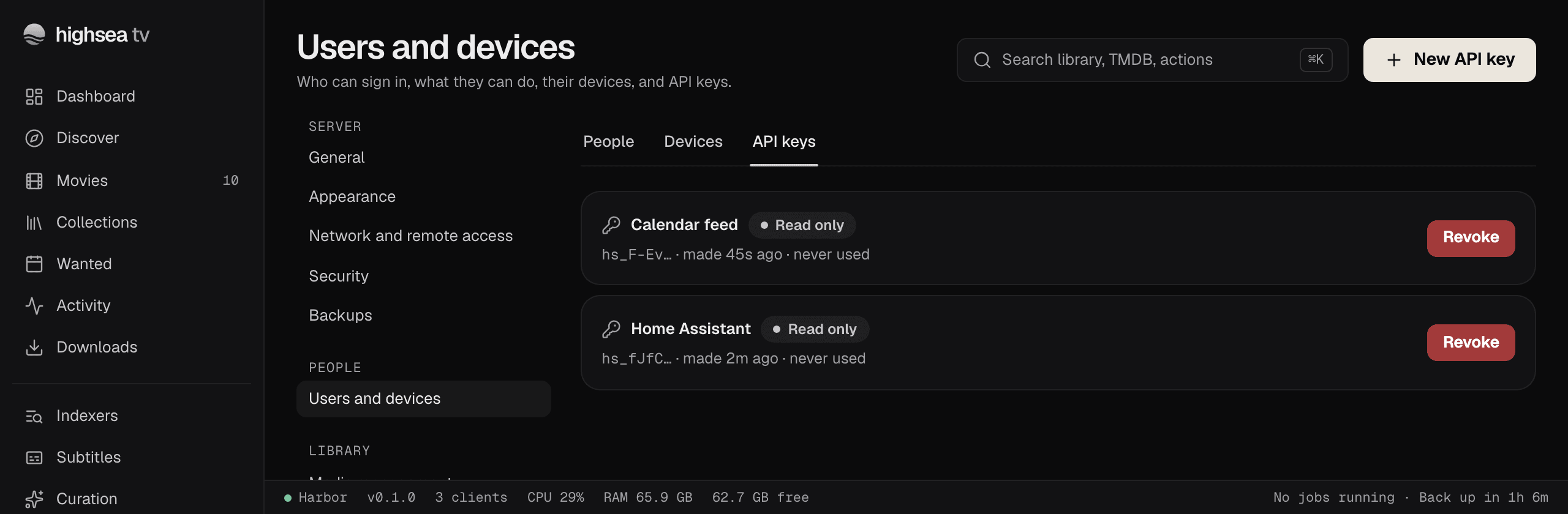
- On the API keys tab, choose New API key.
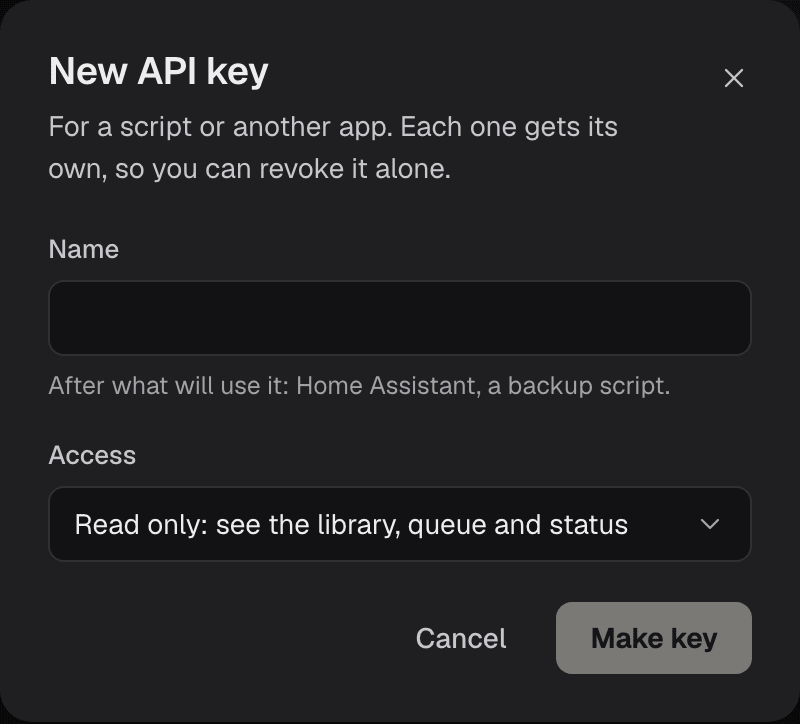
- Give it a Name after what will use it.
- Choose its Access: Read only sees the library, queue and status; Full access can do everything an Admin can.
- Choose Make key, copy it, and store it where the script can read it. It shows only this once.
Give each script its own key, so you can Revoke one alone. Revoking can't be undone: anything using the key stops working at once.
Admins see and make their own keys. The Owner sees everyone's, and can revoke any of them.