People
Invite someone to the server, change their role and libraries, reset their password, or remove them.
Written for highsea 0.1.0.
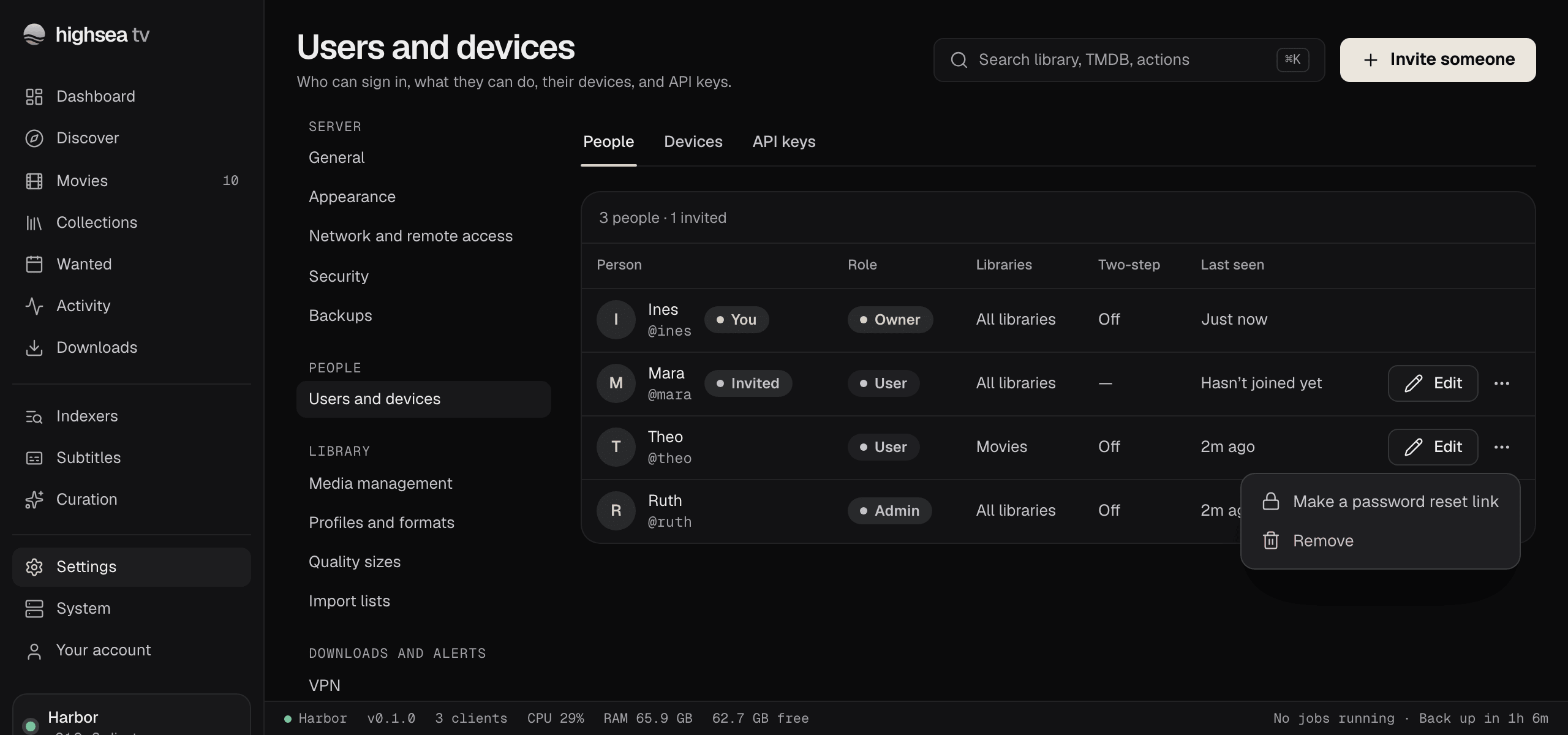
The People tab of Settings › Users and devices lists everyone on the server, with their role, their libraries, whether they use two-step verification, and when they were last seen. Only the Owner can change anything here; see Roles.
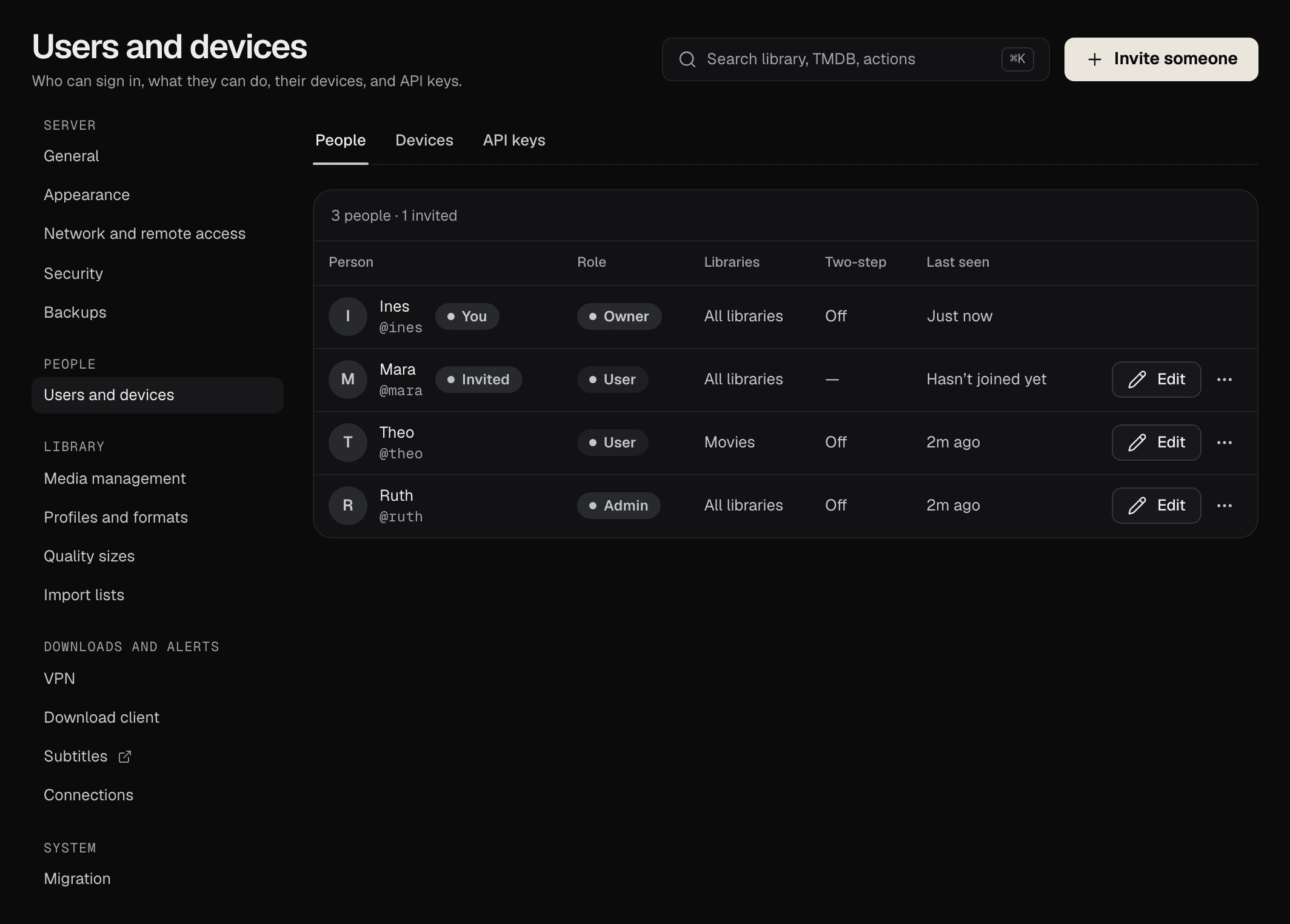
Invite someone
- Go to Settings › Users and devices and choose Invite someone.
- Enter their Name, as the household knows them.
- Optionally enter their Email. If the server's mail is set up in Connections, the link is emailed to them as well.
- Choose a Role: Admin or User. For a User, choose their Libraries: All, now and later, or pick from the list.
- Choose Create invite link, then Copy link and send it to them.
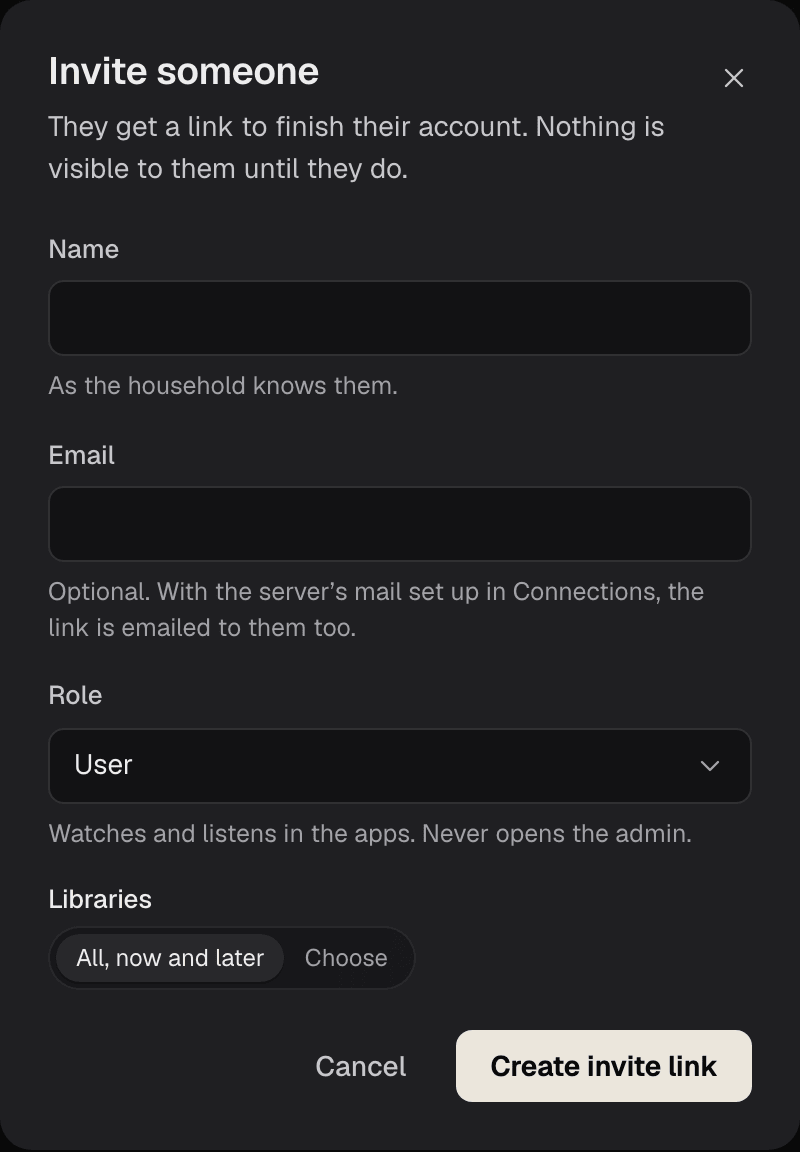
The link works once, for 7 days. Opening it, they choose a username and a password of at least 10 characters, then Finish my account. If single sign-on is on, they can choose Join with your provider instead, which links their account to it.
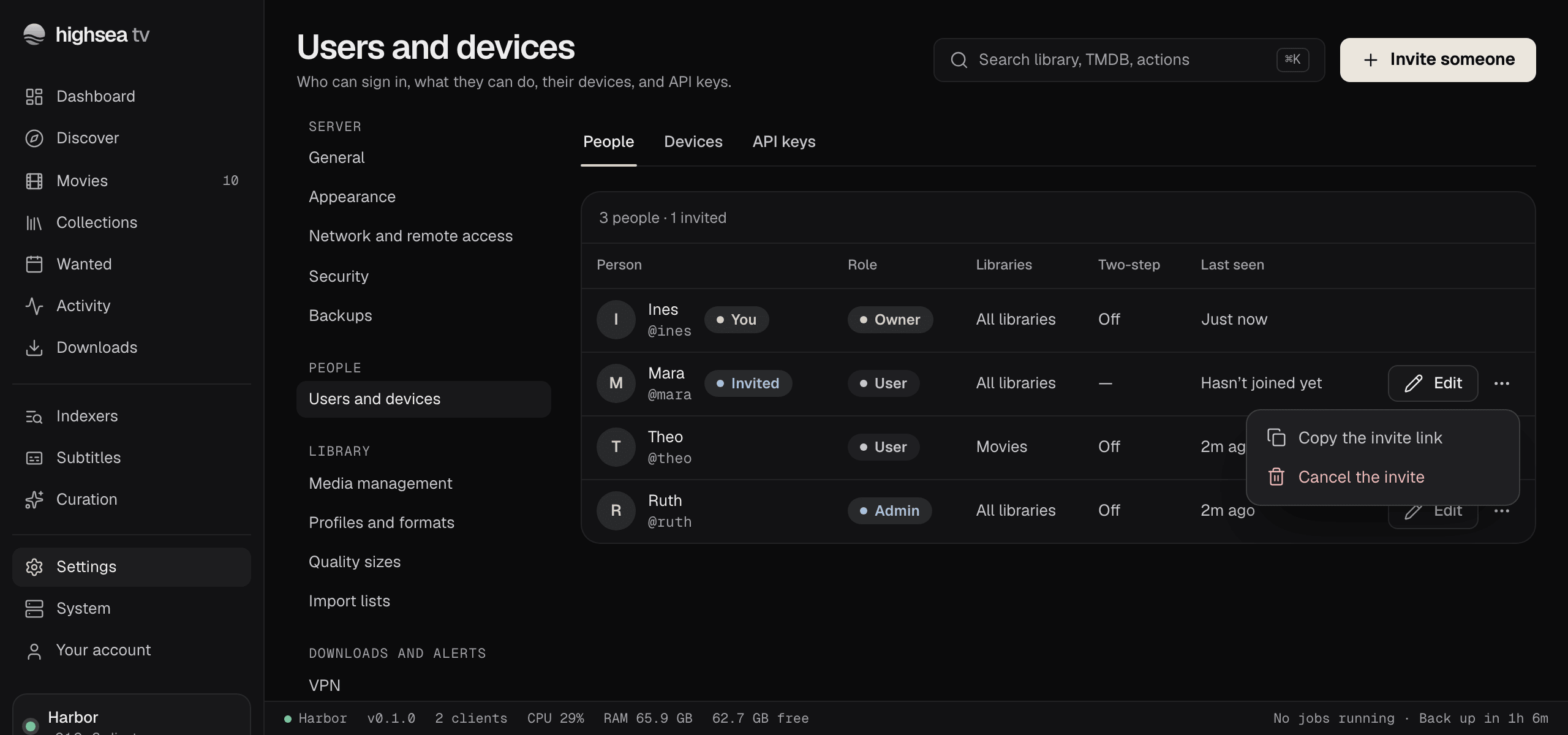
Until they finish, they show as Invited in the list, with "Hasn't joined yet". From the ⋯ menu beside them:
- Copy the invite link shows the link again, or a fresh one if the old one has expired.
- Cancel the invite stops the link working. You can invite them again later.
Change what someone can do
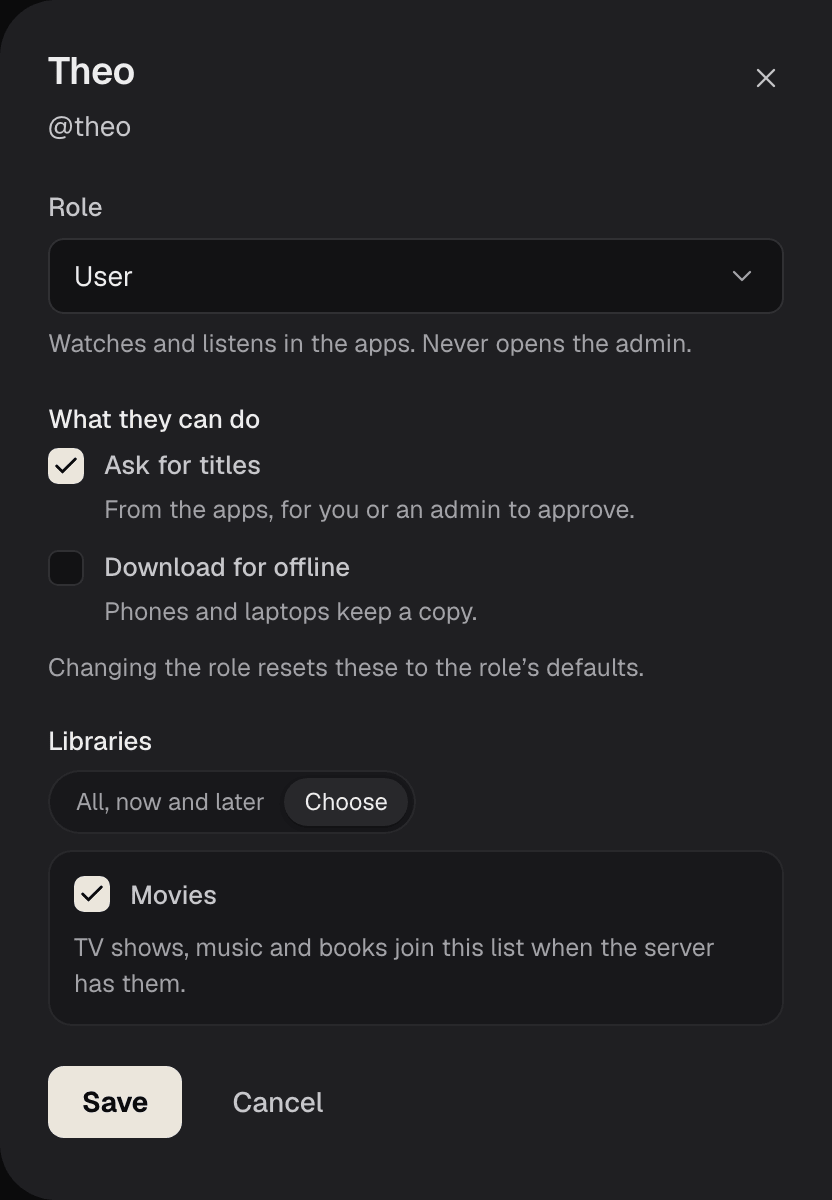
Choose Edit beside a person to change their Role.
- Admins see every library and need nothing ticked.
- A User also has Libraries and What they can do: Ask for titles and Download for offline, which apply in highsea's apps rather than the admin. Changing the role resets these to the role's defaults.
Making an Admin a User signs them out of the admin, and their API keys stop working.
The Owner's role can't be changed, and there's no way to hand the server to someone else in highsea 0.1.0.
Reset a password
Anyone who has forgotten their password asks the Owner. In Settings › Users and devices, open the ⋯ menu beside them and choose Make a password reset link. Send them the link: it works once, for 7 days, and lets them choose a new password. It's emailed too when the server's mail is set up and they have an email address.
The Owner's own password can only be changed by the Owner, in Your account. Nobody else can reset it, so keep it somewhere safe, along with your recovery codes.
Remove someone
From the ⋯ menu, choose Remove. They're signed out everywhere and can't sign back in, and their watch history goes with them. This can't be undone; invite them again if you change your mind.