Security
The Owner's rules for signing in, single sign-on with an OpenID Connect provider, and how highsea slows down guessing.
Written for highsea 0.1.0.
Settings › Security sets the rules for signing in to the server. Only the Owner sees this area. Changes take effect when you choose Save.
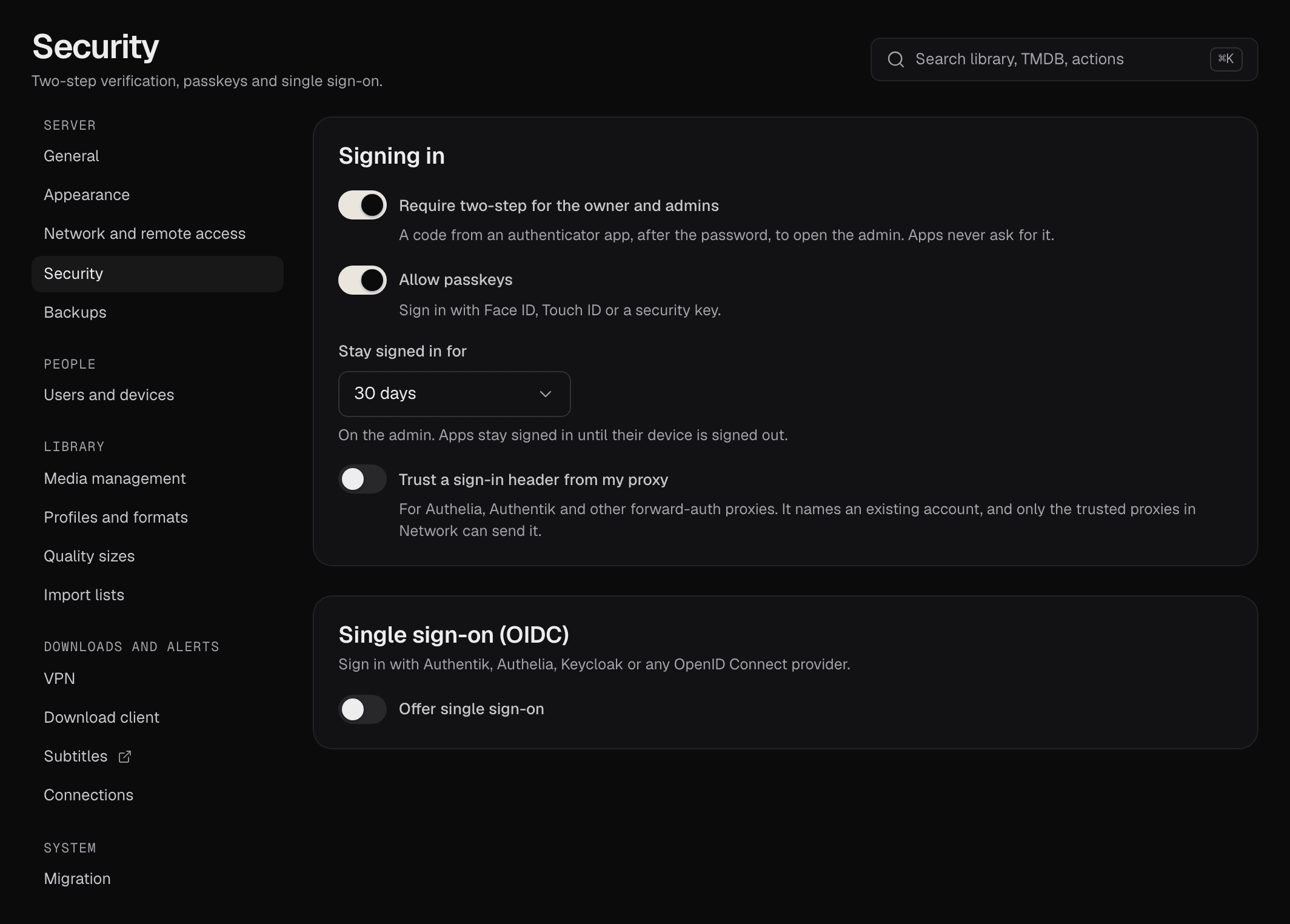
Signing in
| Setting | What it does | Default |
|---|---|---|
| Require two-step for the owner and admins | Owners and Admins must use two-step verification to open the admin. Anyone who hasn't set it up is asked to at their next sign-in, and Turn off disappears from their account. | On |
| Allow passkeys | Offers Sign in with a passkey, and lets people add passkeys in Your account. | On |
| Stay signed in for | How long a sign-in to the admin lasts: 1, 7, 30 or 90 days. | 30 days |
| Trust a sign-in header from my proxy | For Authelia, Authentik and other forward-auth proxies. The proxy signs people in and passes their username in a Header, Remote-User unless you change it. It only signs in existing accounts, and highsea believes it only from the trusted proxies listed in Settings › Network and remote access. | Off |
Single sign-on (OIDC)
Lets people sign in with Authentik, Authelia, Keycloak or another OpenID Connect provider. It needs the server's external address, set in Settings › Network and remote access, so the provider can send people back.
- In your provider, create a client for highsea.
- In highsea, turn on Offer single sign-on.
- Enter a Button label: the sign-in page shows "Sign in with" and this name.
- Enter the Client ID, the Issuer URL (the provider's
https://address) and, if your provider gives one, the Client secret. The secret is stored encrypted; leave the field blank to keep the stored one. - Copy the Redirect URL highsea shows into your provider, then Save.
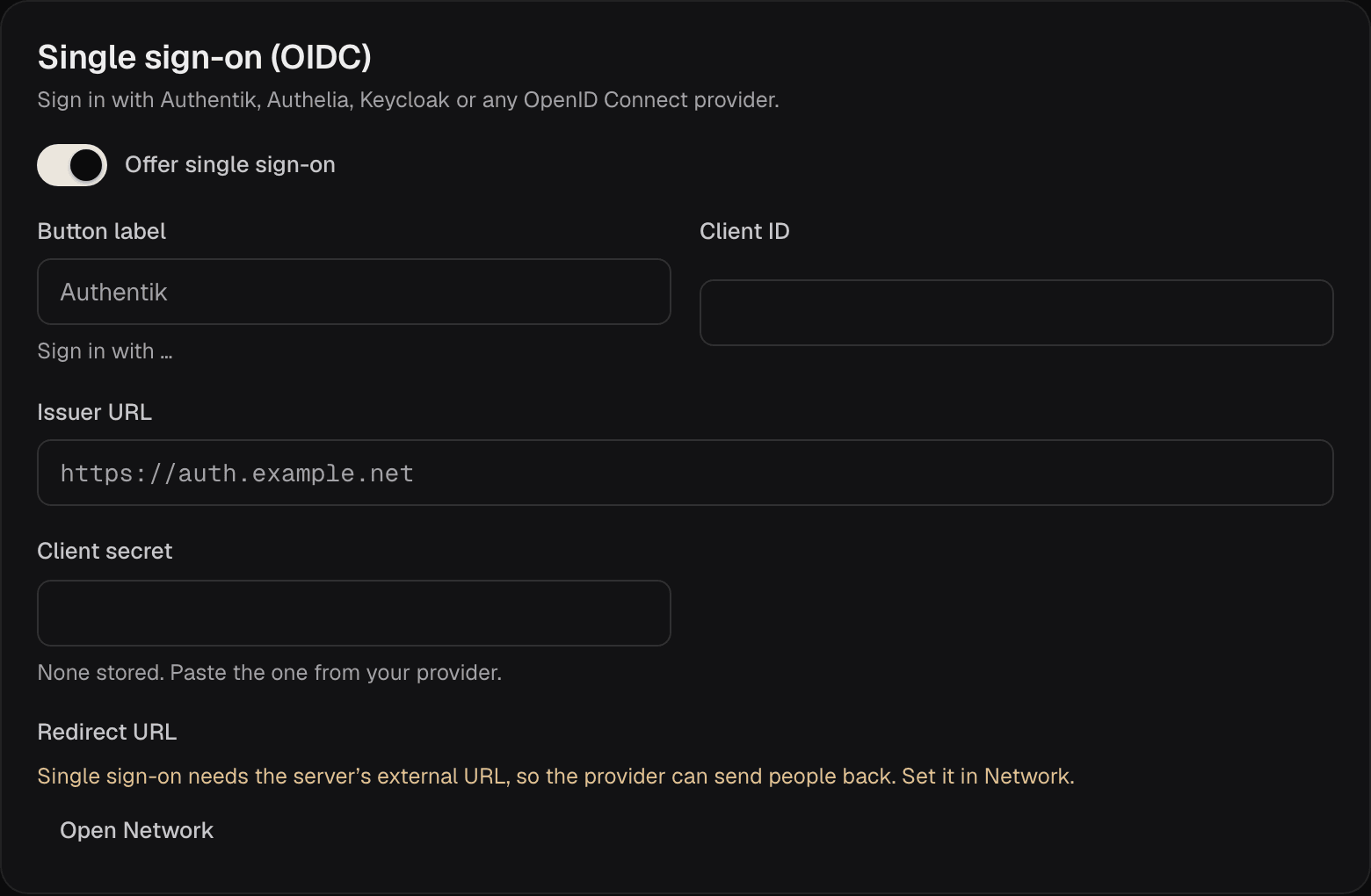
Single sign-on doesn't create accounts. Each person joins through their invite link with Join with your provider, and from then on that provider account signs them in. Someone the server doesn't know is told to ask the Owner for an invite.
Sign-in protections
highsea slows down anyone guessing passwords:
- After 10 failed attempts at one account within 15 minutes, passwords for that account are refused for 5 minutes.
- After 50 failed attempts from one address within 15 minutes, that address is refused for 5 minutes.
- Each sign-in allows 5 tries at a two-step code, and the code step expires after 5 minutes.
Passkeys and single sign-on keep working during a pause, so someone guessing can't lock you out. Restarting highsea clears the counts.