highsea connects
highsea's own WireGuard tunnel to your VPN provider, what its container needs, and each provider's file or account.
Written for highsea 0.1.0.
highsea brings up a WireGuard tunnel inside its own container and binds every torrent to the tunnel's address. A packet from that address can only leave through the tunnel, so if the tunnel drops, torrents stop rather than fall back to your own connection.
What it needs
- Linux. highsea's Docker image runs Linux, so this works wherever highsea runs in Docker. If you run highsea some other way on macOS or Windows, use another mode.
- The NET_ADMIN capability for highsea's container, so it can make its own network interface and routes. This reaches only highsea's container, not the host.
- Its own network, not host networking. With host networking, highsea's interface and routes would land in the host's network beside everything else.
- The TUN device, only on older kernels without WireGuard built in (Linux before 5.6, which some NAS systems still run).
compose.connects.yaml at the root of highsea's repository has all of this. The lines that matter:
services:
  highsea:
    image: ghcr.io/highsea-tv/highsea:latest
    cap_add: [NET_ADMIN]
    # devices: [/dev/net/tun:/dev/net/tun]   # only on a kernel without WireGuard
    ports:
      - "3000:3000"
      - "6881:6881/tcp"
      - "6881:6881/udp"
      - "7368:7368/udp"
Because the container doesn't use host networking, apps on your network find the server through the UDP broadcast on port 7368 rather than mDNS. See Discovery.
If highsea starts without the capability, the status says highsea can't run the tunnel yet and shows the compose lines to add, with a Copy button. Add them, then recreate the container.
Pick your provider
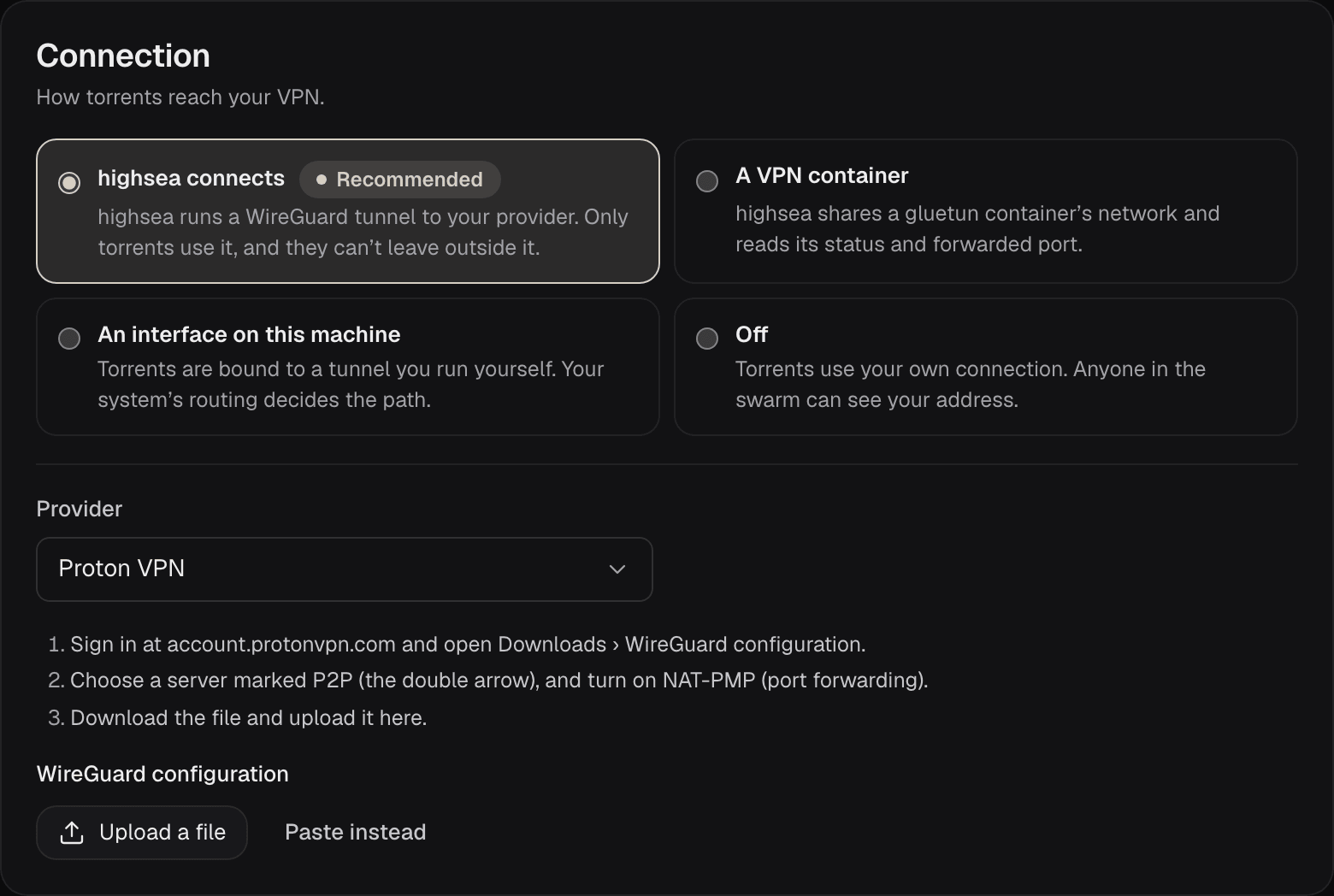
Choose your provider under Provider. highsea shows that provider's own steps beneath it. Most providers give you a WireGuard configuration file to download; upload it with Upload a file, or choose Paste instead and paste its contents. Once saved, the file's keys stay on the server: the page shows only the file's name, with Replace the file to change it.
| Provider | How highsea connects | Port forwarding |
|---|---|---|
| Proton VPN | A WireGuard file from Downloads › WireGuard configuration, on a server marked P2P with NAT-PMP (port forwarding) turned on | Automatic |
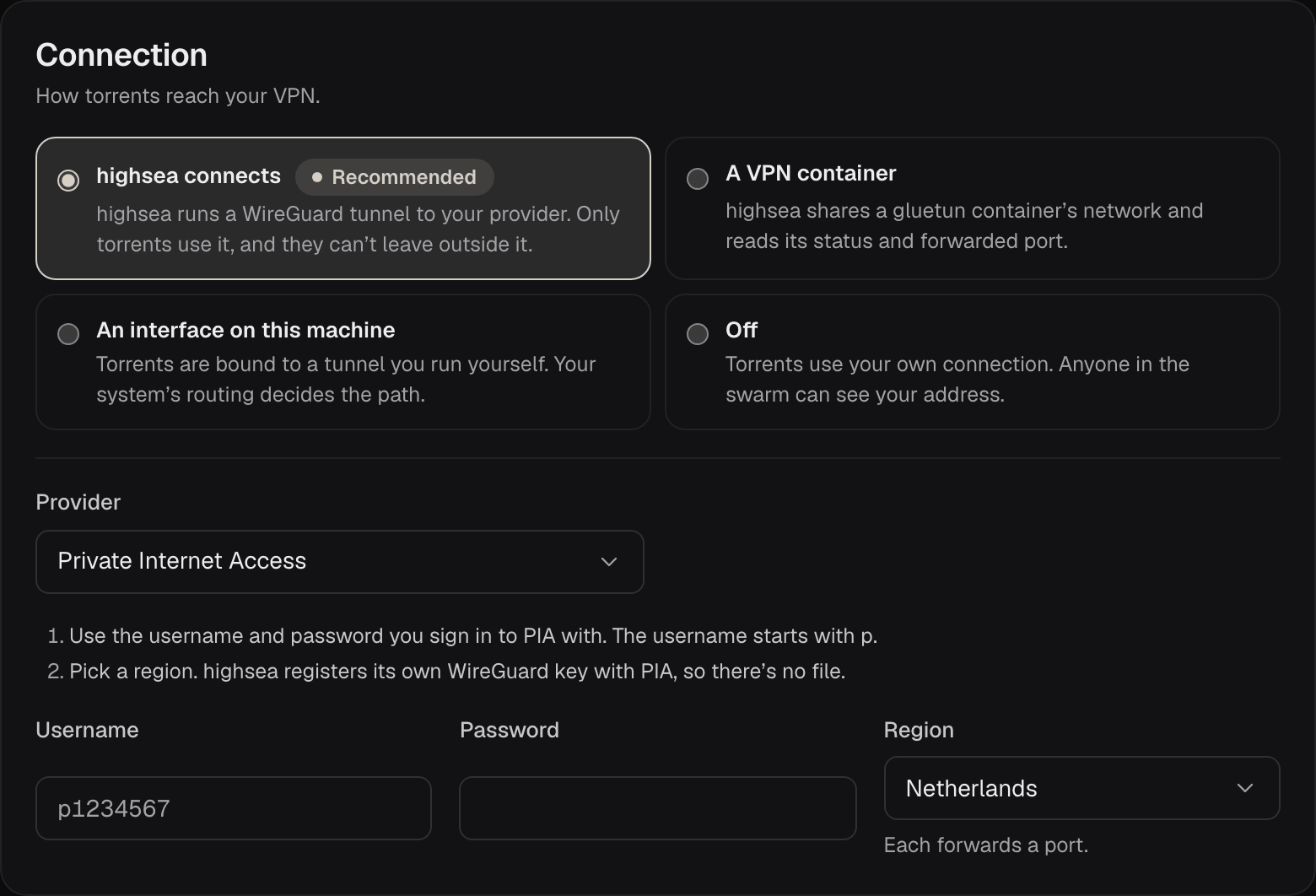
| Private Internet Access | Your PIA username and password, and a Region. highsea registers its own WireGuard key with PIA, so there's no file. | Automatic |
| AirVPN | A WireGuard file from Client Area › Config Generator (Linux, WireGuard) | A port you reserve under Client Area › Forwarded ports, typed into Forwarded port |
| Mullvad | A WireGuard file from your account's WireGuard configuration page | None: Mullvad stopped offering it |
| IVPN | A WireGuard file from the Client Area's WireGuard configuration generator | None: IVPN stopped offering it |
| Windscribe | A WireGuard file from My Account › Config Generator › WireGuard (paid accounts) | An ephemeral port with Matching Port from My Account › Port Forwarding, typed into Forwarded port. It lasts 7 days, so request a new one and update the field when it runs out. |
| Surfshark | A WireGuard file from VPN › Manual setup › WireGuard | None |
| Another WireGuard provider | Any WireGuard configuration file | A port typed into Forwarded port, if your provider gives you one |
The list of providers comes from highsea's catalog, so new providers can appear without a new version of highsea.
Private Internet Access asks for an account rather than a file:
For which providers forward a port and how highsea uses it, see Port forwarding.
What the configuration file needs
highsea reads the file as WireGuard's own tools do, and refuses one it can't use, with the reason under the field. Besides its keys and at least one [Peer], the file needs:
- an IPv4
Addressin its[Interface]section; - an
Endpointfor each[Peer]; - a
DNSline in its[Interface]section. Without it, tracker names would be looked up outside the tunnel, so highsea stops torrents and the Names check says so.
Files downloaded from the providers above have all three.
highsea connects carries IPv4 only for now, so torrents use IPv4 while it's on.